HotWalletClaimer GitHub Details, Stars and Alternatives | OpenRepoFinder
thebrumby / repository
HotWalletClaimer
Automate HOT (Near protocol) claims and build your virtual node in xNode’s mini-game, plus other Telegram crypto titles. This Python script simulates real user actions in a browser—no API hacks, just reliable in-game automation.
A transparent discovery signal based on current public GitHub metadata.
Recent activity35% weight
100
Community adoption25% weight
45
Maintenance state20% weight
85
License clarity10% weight
100
Project information10% weight
67
This score does not audit code, security, maintainers, documentation quality, or suitability. Verify the repository and its current documentation before adoption.
README preview
Your automated assistant for Telegram mini-app games!
Automate claims in popular Telegram nini-games, and track their status. For a full list of supported games and launch commands, visit: Launch Commands.
Hello, Fellow Crypto Game Enthusiasts! Maintaining the Telegram Claim Bot takes several hours per week, and we currently receive nothing back in donations. If you find the scripts useful and want to support our ongoing development, consider becoming a Patreon or treat us to a cup of coffee ☕ for as little as $5. Your contribution helps keep the project actively maintained!
You can also support us at no cost by subscribing to and watching our YouTube channel, where we share more content and insights. Prefer crypto? Donations are welcome of any token through any of these 30 supported chains, including BSC, Polygon, or Ethereum, to:
📢 Telegram Claim Bot Status: HOT has now gone & overview of the 7 still-working bots. read more
Clever Claiming - How to Use a Virtual Browser and Python Script to Maximize Rewards 24/7
Many popular Telegram apps require frequent logins to maximize rewards – this Python script uses Selenium to automate human-like interactions in a real browser session without injecting suspicious API calls. Designed to run on your local computer or VPS, the script monitors your account status within each app, claiming rewards at the optimal time. With an optional random timer offset, it further mimics natural behavior, minimizing risks and keeping your accounts active. It’s ideal for automating reward claims on Telegram mini-apps like , and , offering convenience without constant manual involvement.
HOT
xNode
WARNING: Always do your own research, as some projects may ultimately deliver no real-world value and might try to upsell features for cold hard cash!
🎥 Step-by-Step Video Walkthrough 🎬
Watch along while I perform each step, from server setup, downloading and installing the script, configuring the options, and initiating your automated claims with the Video Walkthrough.
Quick Start Install via Docker (best option for non-technical users)
Using Docker simplifies the setup for non-technical users, by "containerizing" the application and its dependencies, keeping it separate from your main operating system, and ensuring a consistent environment across different architectures (X86/ARM64) and operating systems (Linux-based/Windows). This approach eliminates issues related to dependency management and version conflicts.
Install Docker Desktop on your PC or CLI Docker on a VPS and then type the following commands into a terminal. Refer to the DOCKER.md or video walkthrough for full details.
Run a Container with the Script and Dependencies from the Latest Image (with automatic restart set)
docker run -d --name telegram-claim-bot --restart unless-stopped thebrumby/telegram-claim-bot
Enter the Container To Interact with the Script - Add New Game Accounts, Monitor for Errors etc
docker exec -it telegram-claim-bot /bin/bash
Once Inside the Container - To launch a game:
./launch.sh
To see the status of all your accounts, delete processes, and see PM2 logs on one page:
./launch.sh status
For more details on status, check out its STATUS.md guide.
You can type exit or CTRL+D to leave the container, which will remain running until stopped. You may use the docker exec command above to re-enter the container as often as needed.
Setting Up a Relay from This Script to a Telegram Bot
We've detailed the process of setting up a relay from this script to a Telegram bot in step-by-step instructions. This includes creating a bot using BotFather, configuring your script to use the bot, and adding interaction levels. For comprehensive instructions, refer to the TG-BOT.md guide.
Windows 10 & 11 Alternative Installation - Utilize WSL2:
You can check out the WINDOWS.md guide or check out this video for further instructions.
Stand-alone Linux Installation (best option for technically-minded users):
To create a stand-alone (non-Docker) version, follow the instructions at LINUX.md or watch the video walkthrough. This method is compatible with Ubuntu-style operating systems and tested on Ubuntu 20.04 - 24.04.
General Instructions
💻 TIP: This project has no control over the size of your hardware, how many servers or devices you will use, or the number of game sessions that you will initiate on each device. However, it's important to remember that every game session you initiate using the recommended process manager (PM2) has an overhead in system resources.
When not actively making a claim, each session uses around 35 MB of RAM (memory) and virtually no CPU load. During the Setup and Claim phases, each concurrent session requires approximately 450 MB of memory and utilizes a larger portion of your CPU resources. The concurrent claims setting (default value 1) limits the number of active claims to prevent hardware overload, if additional claim sessions become due, they will queue until a concurrent claim slot becomes free. If you have a multiple-core processor and generous RAM, you can increase this by changing the settings as described in the Usage Notes.
Example Hardware Configuration
Recommended Maximum Concurrent Claims
1 core, 1 GB RAM
1
2 cores, 3 GB RAM
4
4 cores, 4 GB RAM
6
4 cores, 6 GB RAM
8
Hard disk space: Each game session has a saved browser cache which includes images, CSS, and JavaScript assets used by the game. Depending on the game, this can range from 100 to 400 MB. Additionally, the recommended process manager (PM2) also stores logs. If disk space is a concern, you can set limits on the PM2-LOGS.md or set enableCache to 'n' in the script settings.
It is the script user's responsibility to assess the capacity of their hardware, review it regularly, and limit the number of game session instances that they initiate to stay within the limits of their hardware. Failure to do so may lead to slow processing, script/server crashes, and the possibility you will be locked out of your server.
Step-by-Step Video Walkthrough
YouTube Link
Video Length
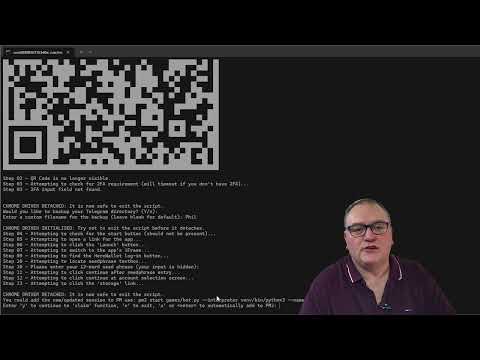
Introduction: Play2Earn - Automating Claims in Telegram Games with Python - CryptoRank, Iceberg, PitchTalk, Yupalka, Oxygen, MDAO, and TimeFarm
Dive into the exciting world of Play2Earn games as we explore automation techniques using Python. This video provides a comprehensive walkthrough on how to set up automated claims for games such as Hot, Cold, Vertus, and Tree. Learn how to efficiently manage game rewards and maximize your earnings with our step-by-step guide.
Windows Guide: Experience the Simplicity of Docker
Explore how to use Docker, a powerful tool for rolling out software such as our automation script. This guide is tailored for Windows users, providing a straightforward approach to setting up and using Docker for efficient software deployment.
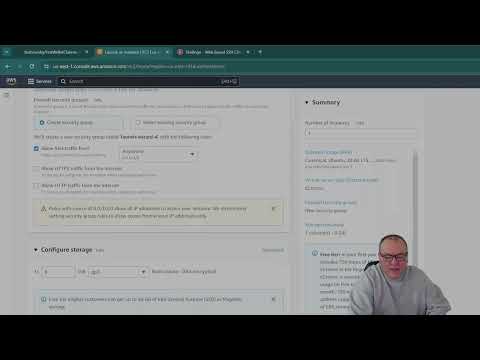
Step 2a: Setting Up an Amazon VPS for Automated Crypto Claiming Scripts
Setting up a virtual private server (VPS) on Amazon Web Services is easier than you think! This tutorial covers everything from creating your VPS to configuring it for automated crypto claiming scripts. Whether you're managing Hot, Cold, Vertus, or Tree, these strategies will help streamline your operations and enhance your mining efficiency. Note: If you're using the AWS free trial, select the Minimal Ubuntu 22.04 LTS - Jammy image, as 1 GB of RAM is no longer viable with Chrome version 130 and Ubuntu 24.
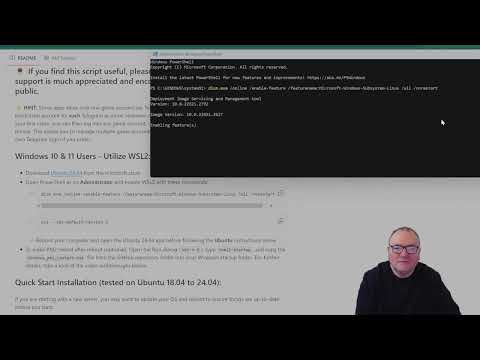
Step 2b: Setting Up Ubuntu on Windows Using WSL for Crypto Automation
Learn how to integrate Ubuntu with Windows using the Windows Subsystem for Linux (WSL) for enhanced crypto automation capabilities. This guide will take you through the installation and setup process, showing you how to prepare your system for automating claims in games like Hot, Cold, Vertus, and Tree.
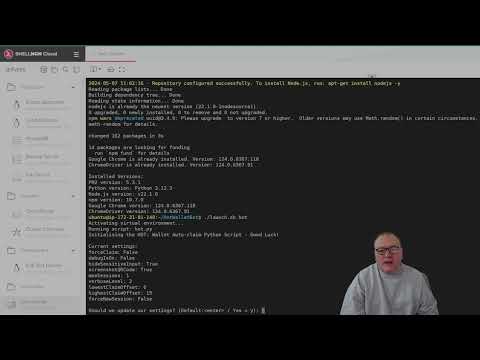
Step 3: Installing the Python Script and Configuring Automated Claims
Master the setup of automated claiming scripts in this detailed tutorial. We walk you through the installation of necessary Python scripts and show you how to configure them for efficient operation across various games such as Hot, Cold, Vertus, and Tree. This video is perfect for anyone looking to automate their gameplay and claiming process.
 Watch Video
 Watch Video
 Watch Video
 Watch Video
 [Watch Vide