Loading repository data…
soxoj / repository
maigret
🕵️♂️ Collect a dossier on a person by username from 3000+ sites
#cli#cybersecurity#identification#information-gathering#infosec#investigation
Live repository statistics
★ 35.4KStars
⑂ 2.7KForks
◯ 30Open issues
◉ 35.4KWatchers
README preview
Maigret
Maigret collects a dossier on a person by username only, checking for accounts on a huge number of sites and gathering all the available information from web pages. No API keys required. AI profiling (demo).
Sponsors
Contents
In one minute
Ensure you have Python 3.10 or higher.
pip install maigret
maigret YOUR_USERNAME
No install? Try the community Telegram bot or a Cloud Shell.
Want a web UI? See how to launch it.
See also: Quick start.
Main features
- Supports 3,000+ sites (see full list). A default run checks the 500 highest-ranked sites by traffic; pass
-ato scan everything, or--tagsto narrow by category/country. - Embeddable in Python projects — import
maigretand run searches programmatically (see library usage). - Extracts all available information about the account owner from profile pages and site APIs, including links to other accounts.
- Performs recursive search using discovered usernames and other IDs.
- Allows filtering by tags (site categories, countries).
- Detects and partially bypasses blocks, censorship, and CAPTCHA.
- Fetches an auto-updated site database from GitHub each run (once per 24 hours), and falls back to the built-in database if offline.
- Works with Tor and I2P websites; able to check domains.
- Ships with a web interface for browsing results as a graph and downloading reports in every format from a single page.
- Optional AI analysis mode (
--ai) that turns raw findings into a short investigation summary using an OpenAI-compatible API.
For the complete feature list, see the features documentation.
Used by
Professional OSINT and social-media analysis tools built on Maigret:
Demo
Video
Reports
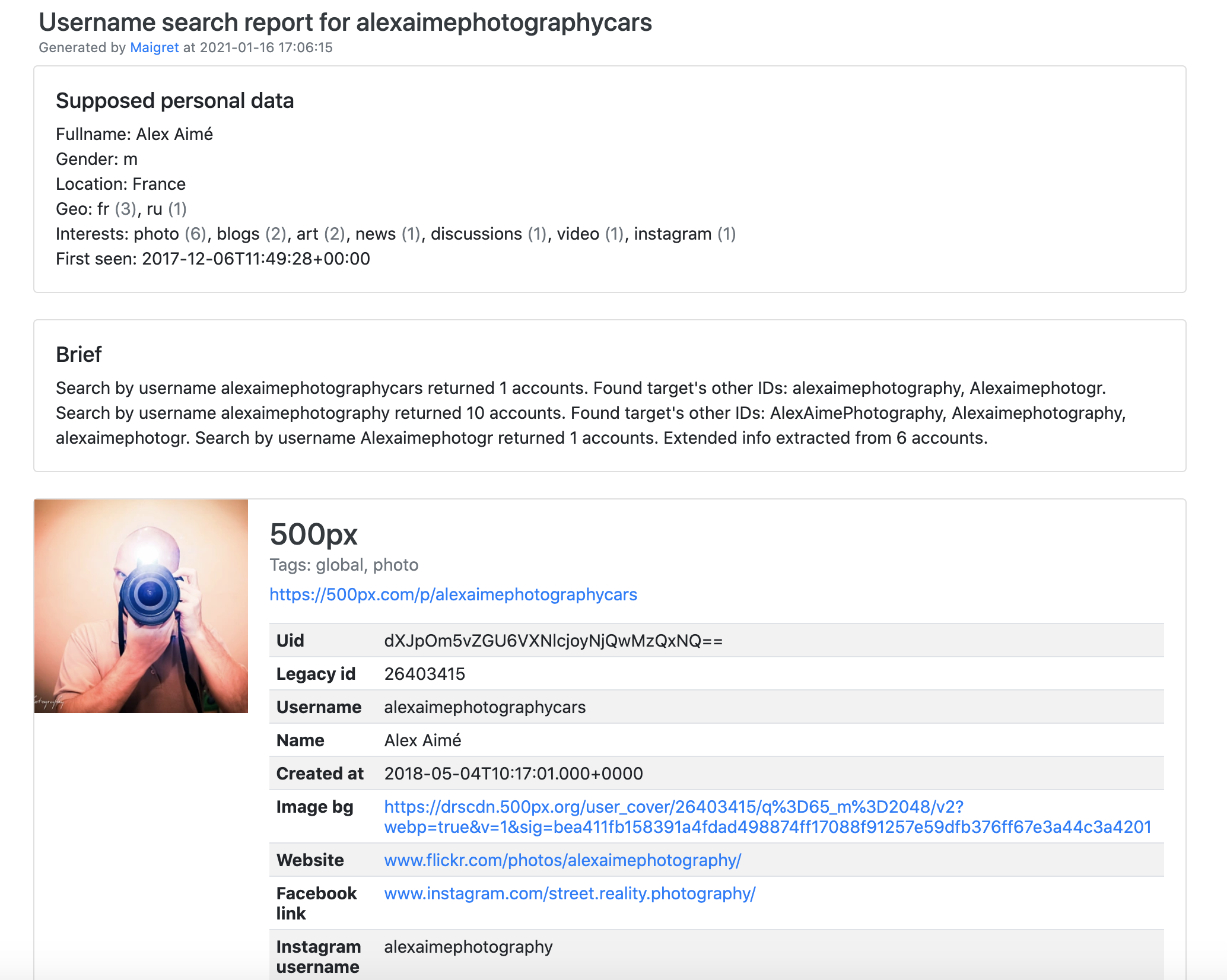
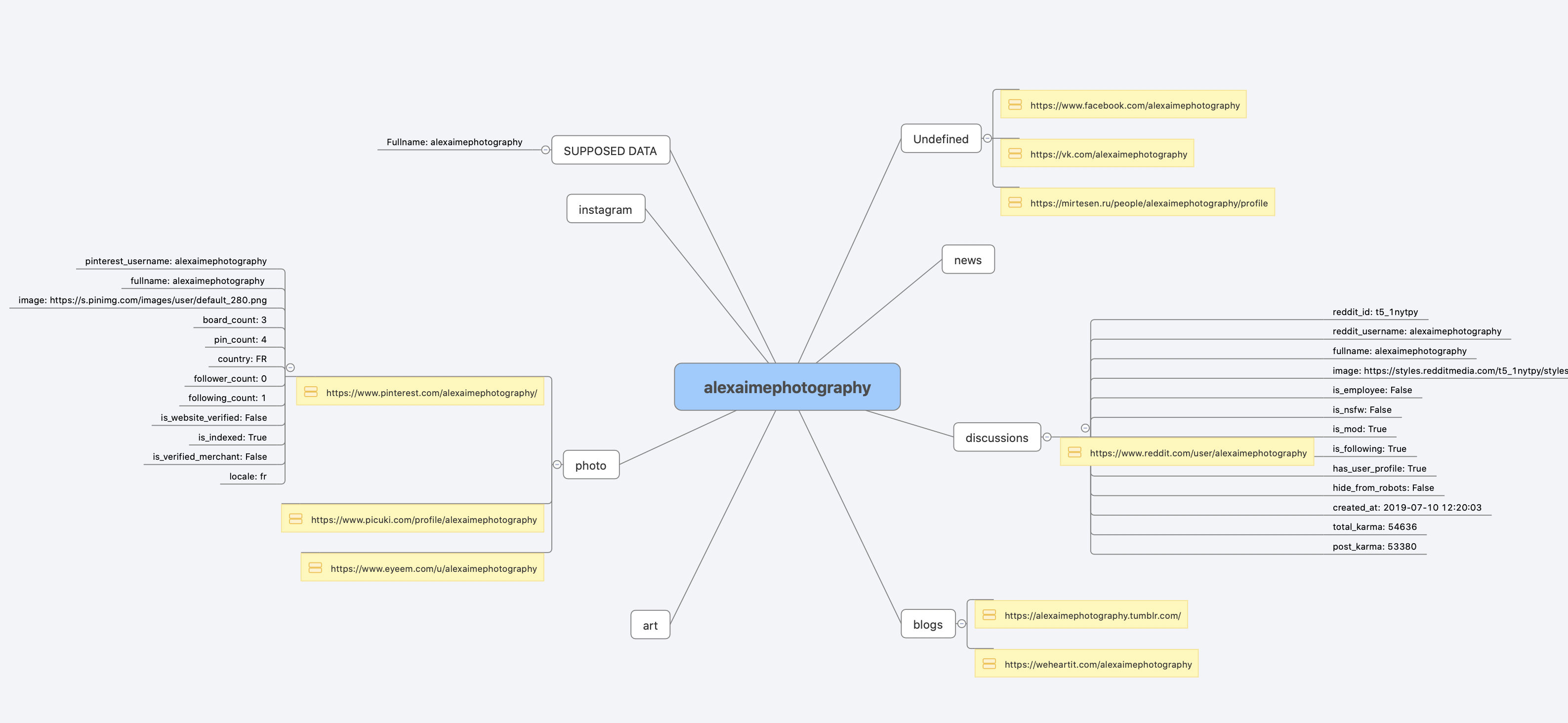
Installation
Already ran the In one minute steps? You're set. Below are alternative methods.
Don't want to install anything? Use the community Telegram bot.
Windows
Download maigret_standalone.exe from Releases. You can launch it two ways:
- Double-click it — Maigret will ask for a username, run a default search, and wait at the end so the report links stay visible.
- Run it from a terminal — open Command Prompt (press
Win+R, typecmd, hit Enter) or PowerShell to pass extra options:
cd %USERPROFILE%\Downloads
maigret_standalone.exe USERNAME
maigret_standalone.exe USERNAME --html       :: also save an HTML report
maigret_standalone.exe --help                :: list all options
Video guide: https://youtu.be/qIgwTZOmMmM.
Cloud Shells
Run Maigret in the browser via cloud shells or Jupyter notebooks:
Local installation (pip)
# install from pypi
pip3 install maigret

# usage
maigret username
From source
# or clone and install manually
git clone https://github.com/soxoj/maigret && cd maigret

# build and install
pip3 install .

# usage
maigret username
Docker
Two image variants are published:
soxoj/maigret:latest— CLI mode (default)soxoj/maigret:web— auto-launches the web interface
# official image (CLI)
docker pull soxoj/maigret

# CLI usage
docker run -v /mydir:/app/reports soxoj/maigret:latest username --html

# Web UI (open http://localhost:5000)
docker run -p 5000:5000 soxoj/maigret:web

# Web UI on a custom port
docker run -e PORT=8080 -p 8080:8080 soxoj/maigret:web

# manual build
docker build -t maigret .                  # CLI image (default target)
docker build --target web -t maigret-web . # Web UI image
Troubleshooting
Build errors? See the troubleshooting guide.
PDF reports (--pdf) are an optional extra — install with pip install 'maigret[pdf]'. They need system-level graphics libraries on Linux/macOS; see the PDF reports section for per-OS install steps.
Usage
Examples
# make HTML, PDF, and Xmind8 reports
maigret user --html
maigret user --pdf
maigret user --xmind #Output not compatible with xmind 2022+

# machine-readable exports
maigret user --json ndjson   # newline-delimited JSON (also: --json simple)
maigret user --csv
maigret user --txt
maigret user --graph         # interactive D3 graph (HTML)
maigret user --neo4j         # Neo4j Cypher script (graph database)

# search on sites marked with tags photo & dating
maigret user --tags photo,dating

# search on sites marked with tag us
maigret user --tags us

# highlight sites whose page also mentions specific keywords
maigret user --keywords python rust
# keyword-matched sites are shown with "[++]" in bright green

# search for three usernames on all available sites
maigret user1 user2 user3 -a

# AI-assisted investigation summary (needs OPENAI_API_KEY)
maigret user --ai
--neo4j writes a *_neo4j.cypher script of the results graph; import it with cypher-shell -u neo4j -p <password> < report_user_neo4j.cypher or paste it into the Neo4j Browser. Re-imports are idempotent. See the Neo4j export docs.
Run maigret --help for all options. Docs: CLI options, more examples. Running into 403s or timeouts? See TROUBLESHOOTING.md.
Web interface
Maigret has a built-in web UI with a results graph and downloadable reports.