Loading repository data…
sdispater / repository
poet
Poet helps you declare, manage and install dependencies of Python projects, ensuring you have the right stack everywhere.
#dependency-manager#package-manager#packaging#python#python3Archived
Live repository statistics
★ 307Stars
⑂ 12Forks
◯ 13Open issues
◉ 307Watchers
29/100
OPENREPOHUB HEALTH SIGNAL
Limited signals
A transparent discovery signal based on current public GitHub metadata.
Recent activity35% weight
0
Community adoption25% weight
44
Maintenance state20% weight
0
License clarity10% weight
100
Project information10% weight
75
This score does not audit code, security, maintainers, documentation quality, or suitability. Verify the repository and its current documentation before adoption.
README preview
Poet: Dependency Management for Python
poet has been deprecated in favor of poetry.

Poet helps you declare, manage and install dependencies of Python projects, ensuring you have the right stack everywhere.
The package is highly experimental at the moment so expect things to change and break. However, if you feel adventurous I'd gladly appreciate feedback and pull requests.
Installation
pip install pypoet
Enable tab completion for Bash, Fish, or Zsh
poet supports generating completion scripts for Bash, Fish, and Zsh.
See poet help completions for full details, but the gist is as simple as using one of the following:
# Bash
$ poet completions bash > /etc/bash_completion.d/poet.bash-completion

# Bash (macOS/Homebrew)
$ poet completions bash > $(brew --prefix)/etc/bash_completion.d/poet.bash-completion

# Fish
$ poet completions fish > ~/.config/fish/completions/poet.fish

# Zsh
$ poet completions zsh > ~/.zfunc/_poet
Note: you may need to restart your shell in order for the changes to take effect.
For zsh, you must then add the following line in your ~/.zshrc before
compinit:
fpath+=~/.zfunc
Introduction
poet is a tool to handle dependencies installation, building and packaging of Python packages.
It only needs one file to do all of that: poetry.toml.
[package]
name = "pypoet"
version = "0.1.0"
description = "Poet helps you declare, manage and install dependencies of Python projects, ensuring you have the right stack everywhere."

license = "MIT"

authors = [
    "Sébastien Eustace <sebastien@eustace.io>"
]

readme = 'README.md'

repository = "https://github.com/sdispater/poet"
homepage = "https://github.com/sdispater/poet"

keywords = ['packaging', 'poet']

include = ['poet/**/*', 'LICENSE']

python = ["~2.7", "^3.2"]


[dependencies]
toml = "^0.9"
requests = "^2.13"
semantic_version = "^2.6"
pygments = "^2.2"
twine = "^1.8"
wheel = "^0.29"
pip-tools = "^1.8.2"
cleo = { git = "https://github.com/sdispater/cleo.git", branch = "master" }

[dev-dependencies]
pytest = "^3.0"
pytest-cov = "^2.4"
coverage = "<4.0"
httpretty = "^0.8.14"

[scripts]
poet = 'poet:app.run'
There are some things we can notice here:
- It will try to enforce semantic versioning as the best practice in version naming.
- You can specify the readme, included and excluded files: no more
MANIFEST.in.poetwill also use VCS ignore files (like.gitignore) to populate theexcludesection. - Keywords (up to 5) can be specified and will act as tags on the packaging site.
- The dependencies sections support caret, tilde, wildcard, inequality and multiple requirements.
- You must specify the python versions for which your package is compatible.
poet will also detect if you are inside a virtualenv and install the packages accordingly. So, poet can
be installed globally and used everywhere.
Why?
Packaging system and dependency management in Python is rather convoluted and hard to understand for newcomers.
Even for seasoned developers it might be cumbersome at times to create all files needed in a Python project: setup.py,
requirements.txt, setup.cfg, MANIFEST.in.
So I wanted a tool that would limit everything to a single configuration file to do everything: dependency management, packaging and publishing.
It takes inspiration in tools that exist in other languages, like composer (PHP) or cargo (Rust).
Note that there is no magic here, poet uses existing tools (pip, twine, setuptools, distutils, pip-tools) under the hood
to achieve that in a more intuitive way.
Commands
new
This command will help you setup a default package architecture.
poet new my_package
This will create a my_package directory with the following architecture:
my_package
    ├ README.md
    ├ my_package/
    │   └ __init__.py
    ├ poetry.toml
    └ tests/
        ├ __init__.py
        └ test_my_package.py
If your package is a single module, you can tell poet to use the module layout:
poet new my_package --layout module
This will produce the following structure:
my_package
    ├ README.md
    ├ my_package.py
    ├ poetry.toml
    └ tests/
        ├ __init__.py
        └ test_my_package.py
If you already have created the directory that will hold your package, inside the directory just do:
poet install .
The name of the project will be the name of the directory. If you want to specify another name
add the --name option to the command
poet install --name my_package .
Options
--name: Name of the package.--layout: Layout to use (Default:standard).--no-tests: Do not create the tests directory.--rst: Create a README in the ReStructuredText format.
init
This command will help you create a poetry.toml file interactively
by prompting you to provide basic information about your package.
It will interactively ask you to fill in the fields, while using some smart defaults.
poet init
However, if you just want a basic template and fill the information directly, you can just do:
poet init default
Options
--name: Name of the package.--description: Description of the package.--author: Author of the package.--require: Package to require with a version constraint. Should be in formatfoo:1.0.0.--require-dev: Development requirements, see--require.--index: Index to use when searching for packages.
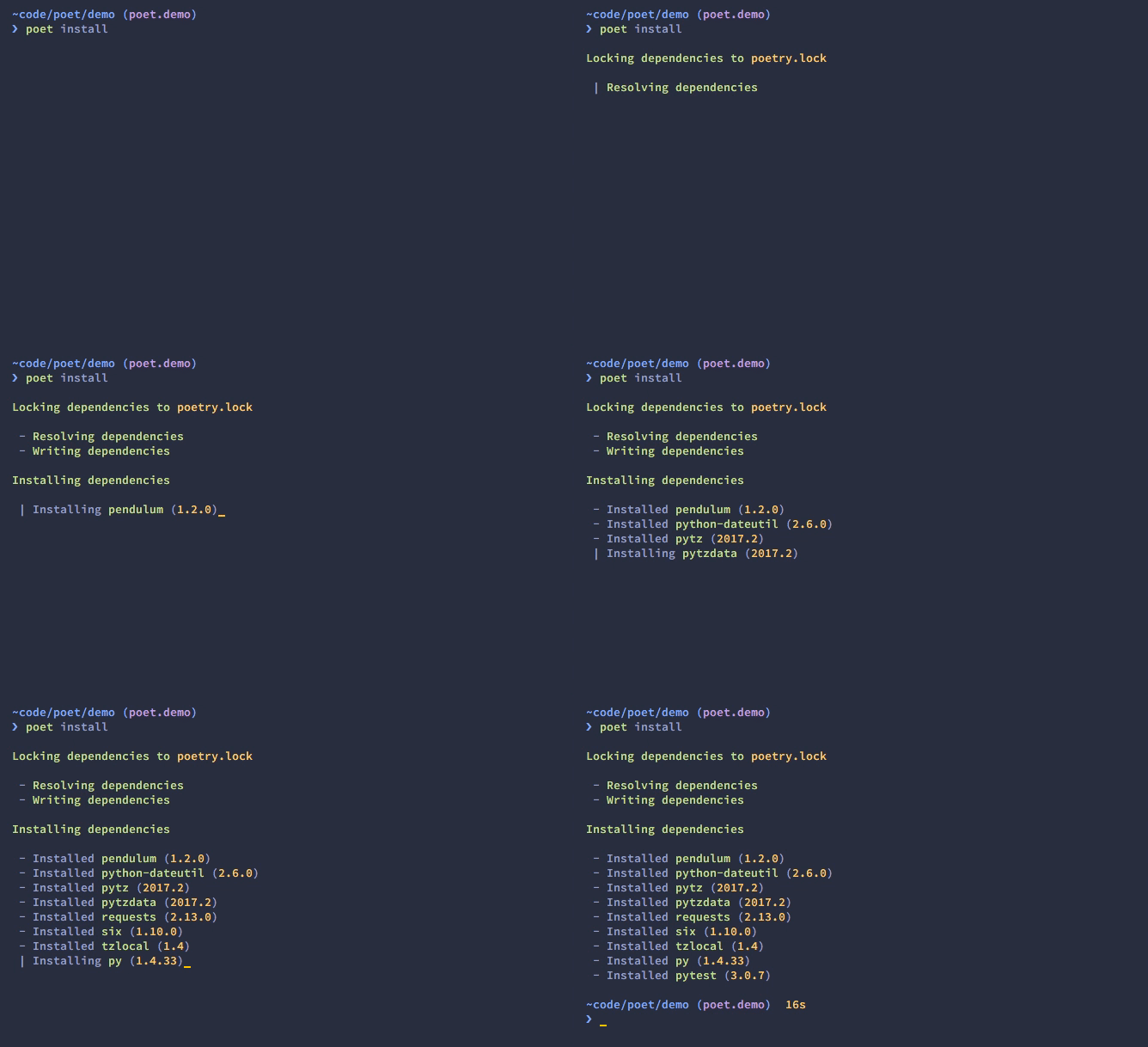
install
The install command reads the poetry.toml file from the current directory, resolves the dependencies,
and installs them.
poet install
If there is a poetry.lock file in the current directory,
it will use the exact versions from there instead of resolving them.
This ensures that everyone using the library will get the same versions of the dependencies.
If there is no poetry.lock file, Poet will create one after dependency resolution.
You can specify to the command that yo do not want the development dependencies installed by passing
the --no-dev option.
poet install --no-dev
You can also specify the features you want installed by passing the --f|--features option (See Features for more info)
poet install --features "mysql pgsql"
poet install -f mysql -f pgsql
Options
--no-dev: Do not install dev dependencies.-f|--features: Features to install (multiple values allowed).--no-progress: Removes the progress display that can mess with some terminals or scripts which don't handle backspace characters.--index: The index to use when installing packages.
update
In order to get the latest versions of the dependencies and to update the poetry.lock file,
you should use the update command.
poet update
This will resolve all dependencies of the project and write the exact versions into poetry.lock.
If you just want to update a few packages and not all, you can list them as such:
poet update requests toml
Options
--no-progress: Removes the progress display that can mess with some terminals or scripts which don't handle backspace characters.--index: The index to use when installing packages.
package
The package command builds the source and wheels archives.
Options
--no-universal: Do not build a universal wheel.--no-wheels: Build only the source package.-c|--clean: Make a clean package.
publish
This command builds (if not already built) and publishes the package to the remote repository.
It will automatically register the package before uploading if this is the first time it is submitted.
Options
-r|--repository: The repository to register the package to (default:pypi). Should match a section of your~/.pypircfile.
search
This command searches for packages on a remote index.
poet search requests pendulum
Options
-i|--index: The index to use.-N|--only-name: Search only in name.
lock
This command locks (without installing) the dependencies specified in poetry.toml.
poet lock
Options
--no-progress: Removes the progress display that can mess with some terminals or scripts which don't handle backspace characters.-i|--index: The index to use.-f|--force: Force locking.
check
The check command will check if the poetry.toml file is valid.
poet check
The poetry.toml file
A poetry.toml file is composed of multiple sections.
package
This section describes the specifics of the package
name
The name of the package. Required
version
The version of the package. Required
This should follow semantic versioning. However it will not be enforced and you remain free to follow another specification.
description
A short description of the package. Required
license
The license of the package.
The recommended notation for the most common licenses is (alphabetical):
- Apache-2.0
- BSD-2-Clause
- BSD-3-Clause
- BSD-4-Clause
- GPL-2.0
- GPL-2.0+
- GPL-3.0
- GPL-3.0+
- LGPL-2.1
- LGPL-2.1+
- LGPL-3.0
- LGPL-3.0+
- MIT
Optional, but it is highly recommended to supply this. More identifiers are listed at the SPDX Open Source License Registry.
authors
The authors of the package. This is a list of authors and should contain at least one author.
Authors must be in the form name <email>.
readme
The readme file of the package. Required
The file can be either README.rst or README.md.
If it's a markdown file you have to install the pandoc utility so that it can be automatically
converted to a RestructuredText file.
You also need to have the pypandoc package installed. If you install poet via
pip you can use the markdown-readme extra to do so.
pip install pypoet[markdown-readme]
homepage
An URL to the website of the project. Optional
repository
An URL to the repository of the project. Optional
documentation
An URL to the documentation of the project. Optional
keywords
A list of keywords (max: 5) that the package is related to. Optional
python
A list of Python versions for which the package is compatible. Required
include and exclude
A list of patterns that will be included in the final package.
You can explicitly specify to Poet that a set of globs should be ignored or included for the purposes of packaging. The globs specified in the exclude field identify a set of files that are not included when a package is built.
If a VCS is being used for a package, the exclude field will be seeded with the VCS’ ignore settings (.gitignore for git for example).
[package]
# ...
include = ["package/**/*.py", "package/**/.c"]
exclude = ["package/excluded.py"]
If you packages lies elsewhere (say in a src directory), you can tell poet to find them from there:
include = { from = 'src', include = '**/*' }
Similarly, you can tell that the src directory represent the foo package:
include = { from = 'src', include = '**/*', as = 'foo' }
dependencies and dev-dependencies
Poet is configured to look for dependencies on PyPi by default. Only the name and a version string are required in this case.
[dependencies]
requests = "^2.13.0"
Caret requirement
Caret requirements allow SemVer compatible updates to a specified version.