farhanic017 /
octocode
AI-powered development tool for the terminal. Works with OpenAI, Anthropic, Google, and more.
Recently updatedActive repository
TypeScriptNOASSERTION#ai#ai-assistant#anthropic#automation
⑂ 0 forks◯ 1 issuesUpdated 2 days ago
Loading repository data…
mudeer-ali-khan / repository
AI-powered terminal development assistant for analyzing large codebases, refactoring, generating tests, and automating engineering tasks. Supports multiple AI providers (OAuth/API key), interactive and headless CI/CD modes, IDE integrations, and a TypeScript SDK with an agent-driven workflow optimized for advanced coding models.




An open-source AI agent that lives in your terminal.
中文 | Deutsch | français | 日本語 | Русский | Português (Brasil)
🎉 News (2026-02-16): Qwen3.5-Plus is now live! Sign in via Qwen OAuth to use it directly, or get an API key from Alibaba Cloud ModelStudio to access it through the OpenAI-compatible API.
Qwen Code is an open-source AI agent for the terminal, optimized for Qwen3-Coder. It helps you understand large codebases, automate tedious work, and ship faster.
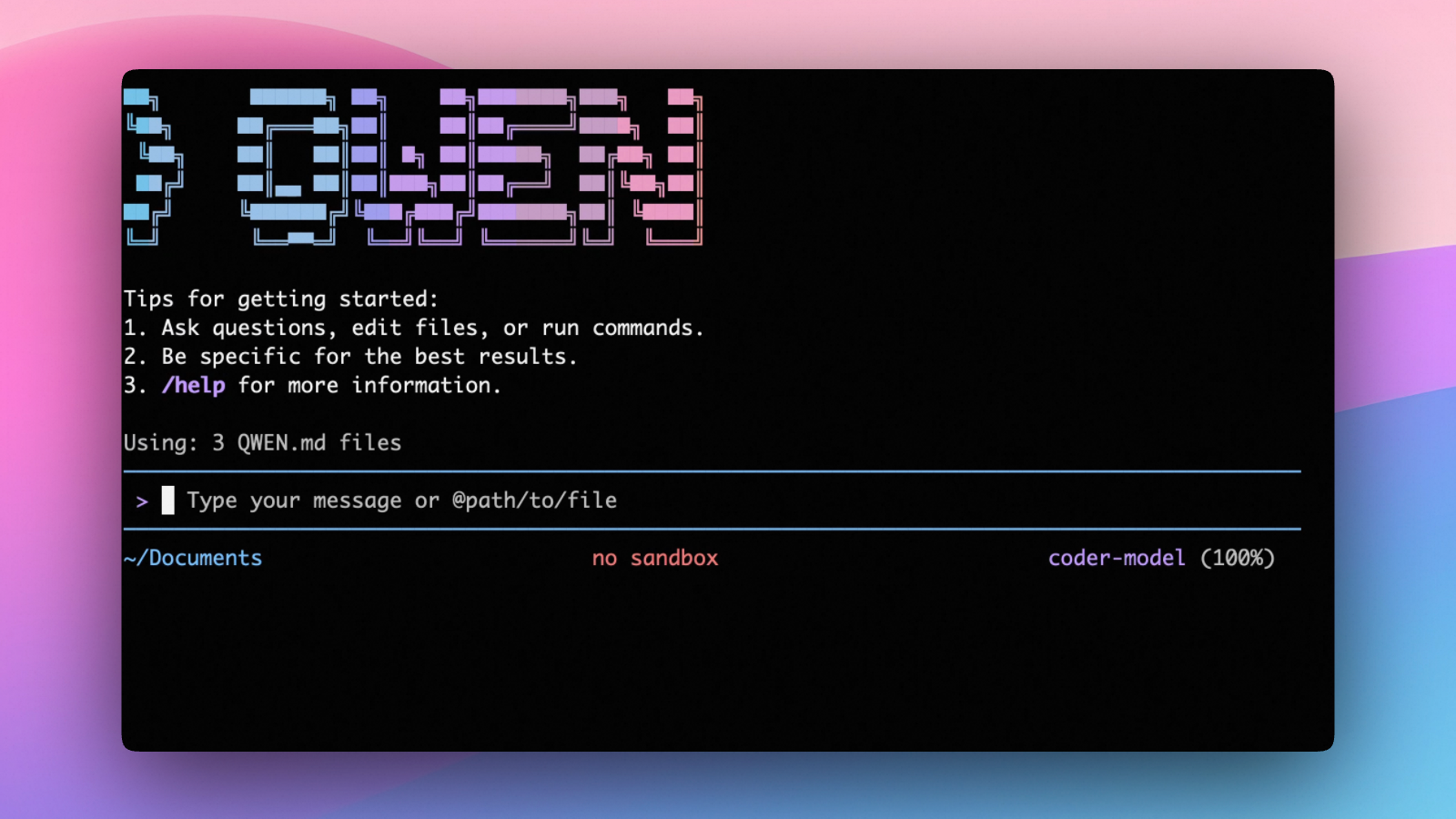
curl -fsSL https://qwen-code-assets.oss-cn-hangzhou.aliyuncs.com/installation/install-qwen.sh | bash
curl -fsSL -o %TEMP%\install-qwen.bat https://qwen-code-assets.oss-cn-hangzhou.aliyuncs.com/installation/install-qwen.bat && %TEMP%\install-qwen.bat
Note: It's recommended to restart your terminal after installation to ensure environment variables take effect.
Make sure you have Node.js 20 or later installed. Download it from nodejs.org.
npm install -g @qwen-code/qwen-code@latest
brew install qwen-code
# Start Qwen Code (interactive)
qwen

# Then, in the session:
/help
/auth
On first use, you'll be prompted to sign in. You can run /auth anytime to switch authentication methods.
Example prompts:
What does this project do?
Explain the codebase structure.
Help me refactor this function.
Generate unit tests for this module.
Qwen Code supports two authentication methods:
qwen.ai account in a browser.Start qwen, then run:
/auth
Choose Qwen OAuth and complete the browser flow. Your credentials are cached locally so you usually won't need to log in again.
Note: In non-interactive or headless environments (e.g., CI, SSH, containers), you typically cannot complete the OAuth browser login flow. In these cases, please use the API-KEY authentication method.
Use this if you want more flexibility over which provider and model to use. Supports multiple protocols:
The recommended way to configure models and providers is by editing ~/.qwen/settings.json (create it if it doesn't exist). This file lets you define all available models, API keys, and default settings in one place.
Step 1: Create or edit ~/.qwen/settings.json
Here is a complete example:
{
  "modelProviders": {
    "openai": [
      {
        "id": "qwen3-coder-plus",
        "name": "qwen3-coder-plus",
        "baseUrl": "https://dashscope.aliyuncs.com/compatible-mode/v1",
        "description": "Qwen3-Coder via Dashscope",
        "envKey": "DASHSCOPE_API_KEY"
      }
    ]
  },
  "env": {
    "DASHSCOPE_API_KEY": "sk-xxxxxxxxxxxxx"
  },
  "security": {
    "auth": {
      "selectedType": "openai"
    }
  },
  "model": {
    "name": "qwen3-coder-plus"
  }
}
Step 2: Understand each field
| Field | What it does |
|---|---|
modelProviders | Declares which models are available and how to connect to them. Keys like openai, anthropic, gemini represent the API protocol. |
modelProviders[].id | The model ID sent to the API (e.g. qwen3-coder-plus, gpt-4o). |
modelProviders[].envKey | The name of the environment variable that holds your API key. |
modelProviders[].baseUrl | The API endpoint URL (required for non-default endpoints). |
env | A fallback place to store API keys (lowest priority; prefer .env files or export for sensitive keys). |
security.auth.selectedType | The protocol to use on startup (openai, anthropic, gemini, vertex-ai). |
model.name | The default model to use when Qwen Code starts. |
Step 3: Start Qwen Code — your configuration takes effect automatically:
qwen
Use the /model command at any time to switch between all configured models.
{
  "modelProviders": {
    "openai": [
      {
        "id": "qwen3.5-plus",
        "name": "qwen3.5-plus (Coding Plan)",
        "baseUrl": "https://coding.dashscope.aliyuncs.com/v1",
        "description": "qwen3.5-plus with thinking enabled from Bailian Coding Plan",
        "envKey": "BAILIAN_CODING_PLAN_API_KEY",
        "generationConfig": {
          "extra_body": {
            "enable_thinking": true
          }
        }
      },
      {
        "id": "qwen3-coder-plus",
        "name": "qwen3-coder-plus (Coding Plan)",
        "baseUrl": "https://coding.dashscope.aliyuncs.com/v1",
        "description": "qwen3-coder-plus from Bailian Coding Plan",
        "envKey": "BAILIAN_CODING_PLAN_API_KEY"
      }
    ]
  },
  "env": {
    "BAILIAN_CODING_PLAN_API_KEY": "sk-xxxxxxxxxxxxx"
  },
  "security": {
    "auth": {
      "selectedType": "openai"
    }
  },
  "model": {
    "name": "qwen3-coder-plus"
  }
}
Subscribe to the Coding Plan and get your API key at Alibaba Cloud Bailian.
{
  "modelProviders": {
    "openai": [
      {
        "id": "gpt-4o",
        "name": "GPT-4o",
        "envKey": "OPENAI_API_KEY",
        "baseUrl": "https://api.openai.com/v1"
      }
    ],
    "anthropic": [
      {
        "id": "claude-sonnet-4-20250514",
        "name": "Claude Sonnet 4",
        "envKey": "ANTHROPIC_API_KEY"
      }
    ],
    "gemini": [
      {
        "id": "gemini-2.5-pro",
        "name": "Gemini 2.5 Pro",
        "envKey": "GEMINI_API_KEY"
      }
    ]
  },
  "env": {
    "OPENAI_API_KEY": "sk-xxxxxxxxxxxxx",
    "ANTHROPIC_API_KEY": "sk-ant-xxxxxxxxxxxxx",
    "GEMINI_API_KEY": "AIzaxxxxxxxxxxxxx"
  },
  "security": {
    "auth": {
      "selectedType": "openai"
    }
  },
  "model": {
    "name": "gpt-4o"
  }
}
{
  "modelProviders": {
    "openai": [
      {
        "id": "qwen3.5-plus",
        "name": "qwen3.5-plus (thinking)",
        "envKey": "DASHSCOPE_API_KEY",
        "baseUrl": "https://dashscope.aliyuncs.com/compatible-mode/v1",
        "generationConfig": {
          "extra_body": {
            "enable_thinking": true
          }
        }
      }
    ]
  },
  "env": {
    "DASHSCOPE_API_KEY": "sk-xxxxxxxxxxxxx"
  },
  "security": {
    "auth": {
      "selectedType": "openai"
    }
  },
  "model": {
    "name": "qwen3.5-plus"
  }
}
Tip: You can also set API keys via
exportin your shell or.envfiles, which take higher priority thansettings.json→env. See the authentication guide for full details.
Security note: Never commit API keys to version control. The
~/.qwen/settings.jsonfile is in your home directory and should stay private.
As an open-source terminal agent, you can use Qwen Code in four primary ways:
cd your-project/
qwen
Run qwen in your project folder to launch the interactive terminal UI. Use @ to reference local files (for example @src/main.ts).
cd your-project/
qwen -p "your question"
Use -p to run Qwen Code without the interactive UI—ideal for scripts, automation, and CI/CD. Learn more: Headless mode.
Use Qwen Code inside your editor (VS Code, Zed, and JetBrains IDEs):
Build on top of Qwen Code with the TypeScript SDK:
/help - Display available commands/clear - Clear conversation history/compress - Compress history to save tokens/stats - Show current session informatSelected from shared topics, language and repository description—not editorial ratings.
farhanic017 /
AI-powered development tool for the terminal. Works with OpenAI, Anthropic, Google, and more.
juancruzmunozalbelo /
AI-powered terminal for Spec Driven Development. Built with Electron, TypeScript, Node.js, Ollama/DeepSeek.
wearethelegion /
The persistent intelligence layer for AI development. AI-powered CLI for your terminal.
Omair-Akbar /
Cross-platform AI-powered developer terminal built with Electron, React, and TypeScript. Execute development and DevOps workflows using natural language with intelligent context awareness.
Commandarsenicacid250 /
Streamline coding workflows with this AI-powered collaborative development environment that integrates human creativity with intelligent automation.
amaan-ur-raheman /
AI-powered full-stack development environment for building web applications in your browser. Features intelligent code generation with multi-model AI support, live preview with WebContainer, integrated terminal, GitHub sync, and real-time collaboration. Built with Next.js 16, React 19, and Convex.