Loading repository data…
lorisunjunbin / repository
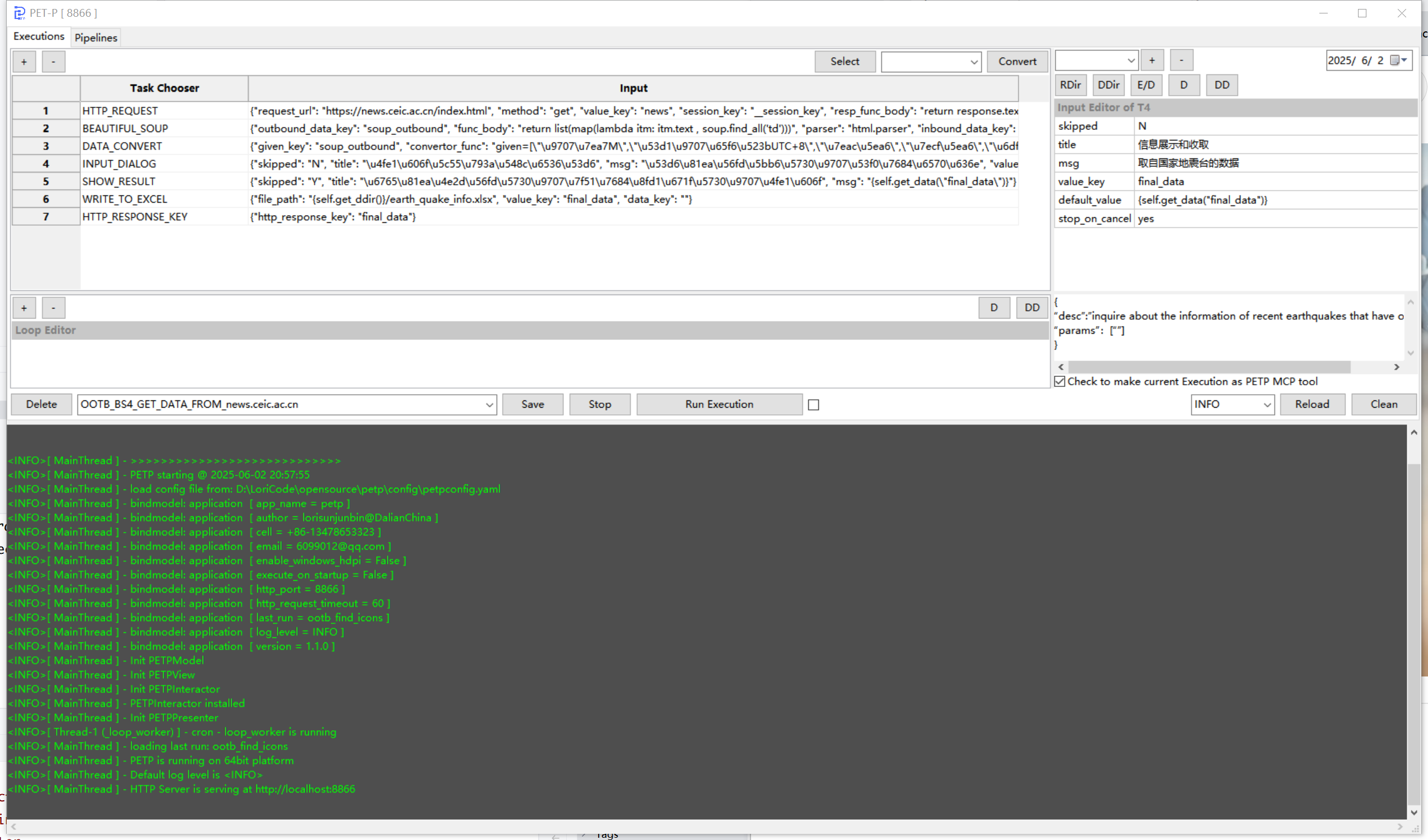
Python RPA toolkit with 80+ processors orchestrating browser automation, AI/LLM (10 providers), databases, SSH, email, and HTTP tasks. Configurable pipelines with cron scheduling and loops. Runs as wxPython GUI, headless service, or Docker container. Built-in MCP Tool Server (Streamable-HTTP) for AI agent integration.
A transparent discovery signal based on current public GitHub metadata.
This score does not audit code, security, maintainers, documentation quality, or suitability. Verify the repository and its current documentation before adoption.
中文 | English
Python RPA toolkit with 80+ processors orchestrating browser automation, AI/LLM (10 providers), databases, SSH, email, and HTTP tasks. Configurable pipelines with cron scheduling and loops. Runs as wxPython GUI, headless service, or Docker container. Built-in MCP Tool Server (Streamable-HTTP) for AI agent integration.
Pipeline 1:n Execution
Execution 1:n Task
Task 1:1 Processor
Links: Web Intro | Web App | Changelog
Download from python.org. On Windows, check "Add Python to PATH".
The stable release (4.2.x on PyPI) does not support Python 3.14. Download a 4.3.0-alpha .whl from wxpython.org/Phoenix/snapshot-builds matching your platform:
# macOS Apple Silicon
uv pip install wxPython-4.3.0a1XXXX-cp314-cp314-macosx_11_0_arm64.whl
# Windows 64-bit
uv pip install wxPython-4.3.0a1XXXX-cp314-cp314-win_amd64.whl
Or auto-download via PETP (no wxPython needed):
python PETP_background.py --run-execution OOTB_DOWNLOAD_LATEST_WXPYTHON_mac_arm
For Python 3.12/3.13: pip install wxPython
pip install -U uv
uv pip install -r requirements.txt # Full (GUI)
# or: uv pip install -r requirements-nogui.txt # Headless
# or: uv pip install -r requirements-docker.txt # Docker
uv pip install -r requirements/core.txt -r requirements/ssh-sftp.txt -r requirements/http-client.txt
See requirements/ directory for all available groups: ai-deepseek.txt, ai-gemini.txt, ai-ollama.txt, , , , , , etc.
database.txtexcel-data.txtmcp.txtocr.txtweb-automation.txtpython PETP.py # GUI
python PETP_background.py # Headless service (port 8866)


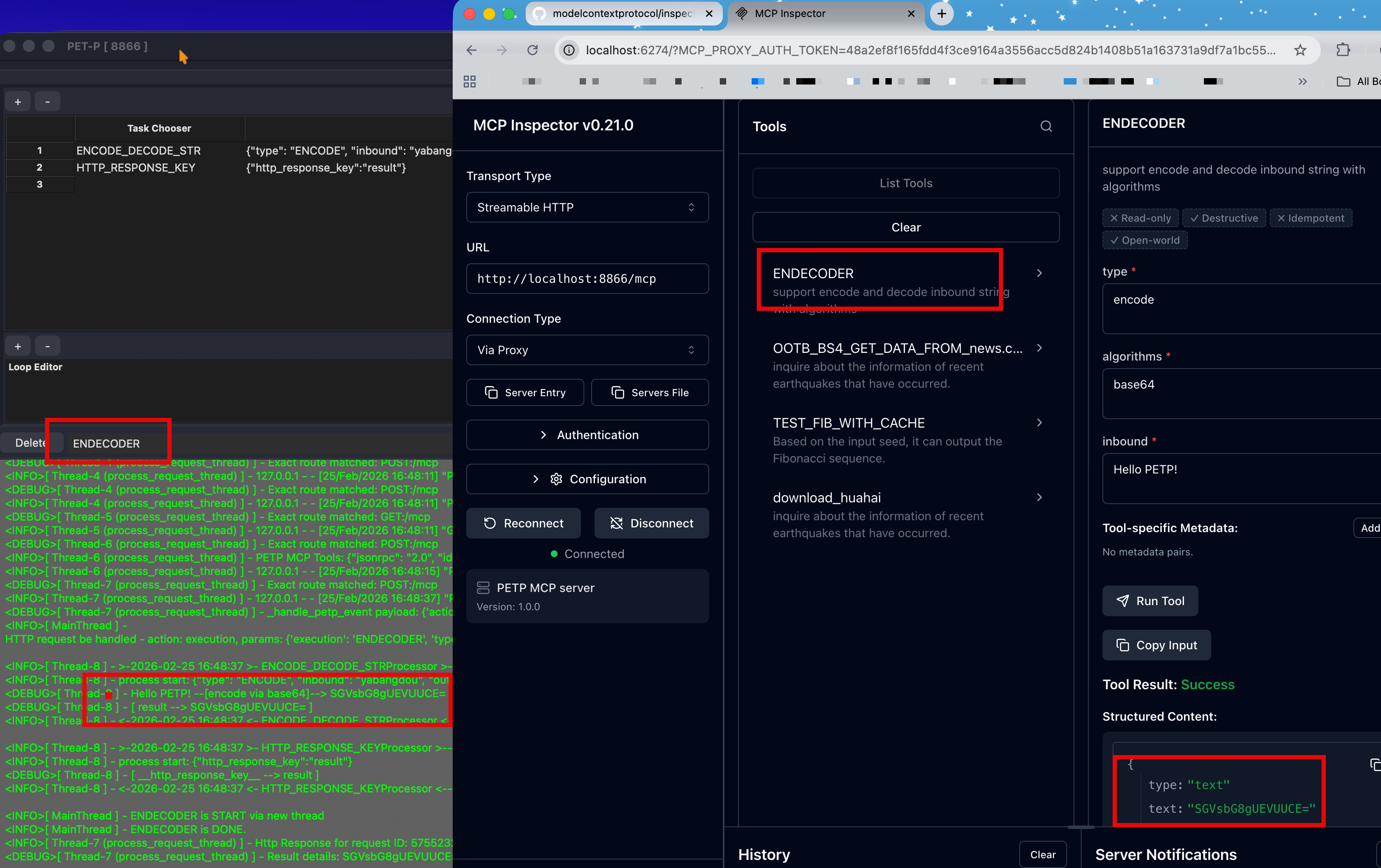
MCP Tool Server — integrate with Claude Code, Cursor, and other AI agents:

| Category | Capabilities |
|---|---|
| Browser Automation (Selenium) | Navigate, click, key-in, collect, batch find, iFrame, cookies, screenshot. SAP Ariba Angular form controls: yes/no radio, cascading tree picker, single- & multi-select dropdowns, Material date picker. Chrome DevTools Recorder import. |
| SSH / SFTP (Paramiko) | SSH/SFTP sessions, remote commands, file upload/download. |
| File & Folder | Open, write, delete, read, find, watch & auto-move, ZIP/UNZIP. |
| Data & Spreadsheet | CSV/Excel read & write, collect, filter, group-by, mapping, masking, merge. Chinese almanac (CNLunar). |
| Database | MySQL, PostgreSQL, SAP HANA, SQLite — unified DB_ACCESS processor. |
| AI / LLM (10 providers) | DeepSeek, Gemini, Ollama, Zhipu, Anthropic, Qianfan, MiniMax, Doubao, Moonshot, OpenAI-compatible. Setup + Q&A + MCP tool calling. |
| AI Execution Generator | Natural language → task flow generation. Multi-turn chat, Processor browser, selective context, connection caching. |
| MCP | Standard MCP Tool Server (Streamable-HTTP). MCP client for all LLM providers. OOTB tools: weather query, daily almanac. |
| HTTP / Network | Configurable requests, response extraction, OAuth2/PKCE, Basic Auth, XSRF. |
| SMTP send (CC/BCC, HTML, attachments). IMAP receive (filter, attachment download). | |
| OCR & Captcha | Image text extraction (paddleocr/rapidocr/easyocr). Captcha solving (ddddocr). |
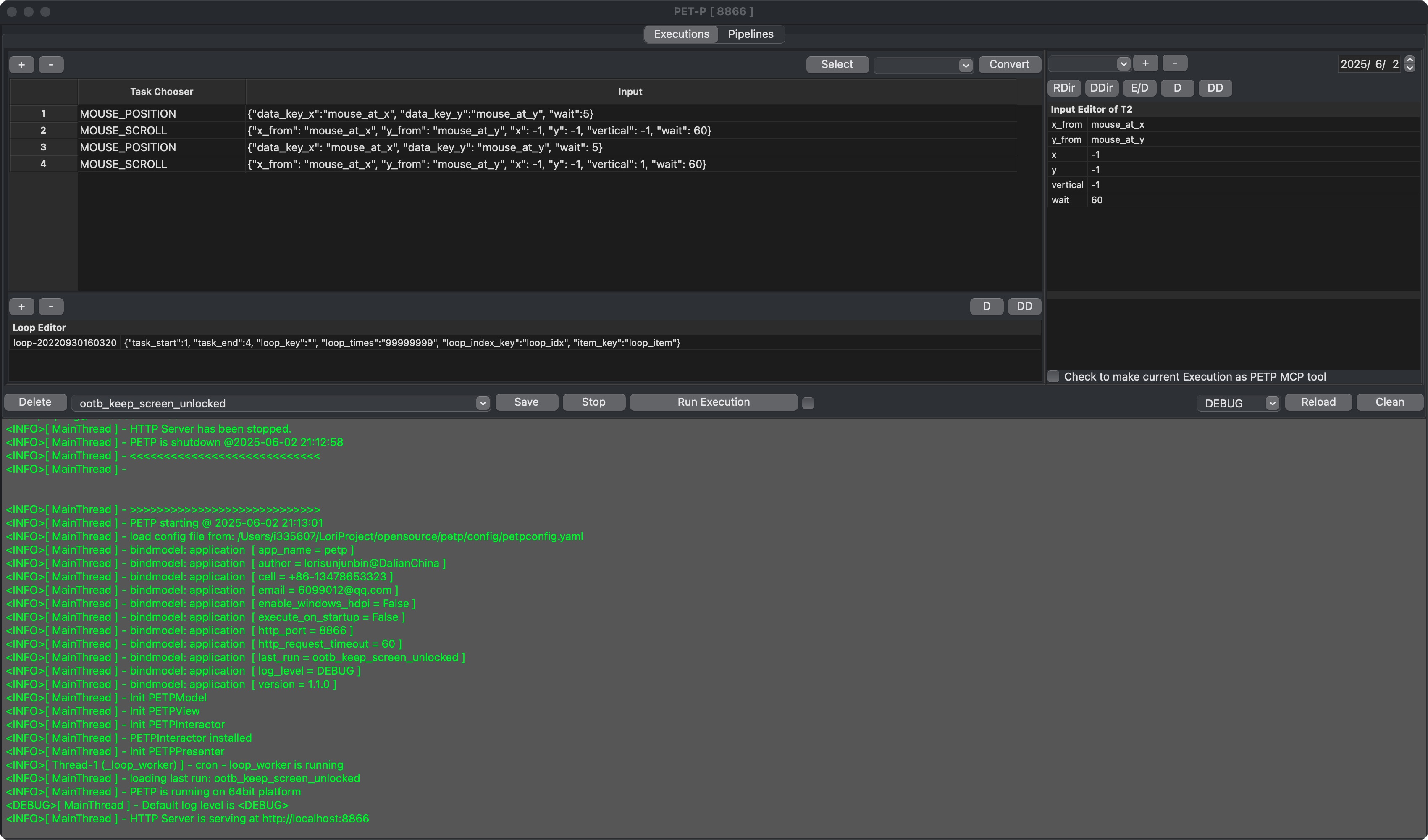
| Mouse & GUI (PyAutoGUI) | Click, scroll, position query. |
| Execution Control | Init params, nested execution, conditional stop/jump, IF_ELSE branching, loops, shell commands. |
| Theme | 9 themes (System auto + 8 named) with live switching. |
Highlight — Generate and modify PETP task flows through natural language conversation with LLM. Supports 10 LLM providers including Hyperspace, Anthropic, DeepSeek, Zhipu, Gemini, Ollama, and more.
Entry Points:
Highlights:
ai_provider in petpconfig.yamlToken controls (new):
ai_max_response_tokens — hard upper bound on model output length (default 8192)ai_max_request_tokens — local pre-flight cap on request size (default 60000); over-limit prompts are rejected before hitting the providerAI-Powered MCP Tool Publishing:
mcp_desc JSON for exposing Executions as MCP toolsINITIAL_PARAMS and output keys from result tasksAI Error Analysis & Auto-Fix:
Vision Model Support (Ollama):
AI_LLM_QANDA accepts image_path parameter for multimodal promptsdata_chainConfiguration (only ai_provider required, rest auto-fills from provider defaults):
application:
ai_provider: zhipu # or: deepseek, anthropic, hyperspace, gemini, ollama, etc.
ai_model: "" # empty = provider default (e.g. GLM-5)
ai_api_key: "" # empty = read from default env var (e.g. ZHIPU_ACCESS_KEY)
ai_base_url: "" # empty = provider default URL
ai_max_response_tokens: 8192
ai_max_request_tokens: 60000
See Configuration Docs for full provider list and details.
_fn) & Expression EnhancementsAll dynamic function parameters (_fn, _func, _func_body, lambda_*) receive the Processor instance as p, enabling full access to PETP utilities inside custom code:
# In _fn function body — p is the Processor instance
result = p.get_data("my_key")
p.populate_data("output", processed_value)
today = p.str_to_date("2026-05-11")
Available p methods in both expression and _fn contexts:
| Method | Description |
|---|---|
p.get_data(key) | Read from data_chain |
p.get_deep_data([keys]) | Nested data access |
p.get_data_chain() | Get entire data_chain dict |
p.populate_data(k, v) | Write to data_chain |
p.get_now_str() | Current timestamp (YYYYMMDDHHmmss) |
p.get_now_in_str(fmt) | Current time with custom format |
p.str_to_date(s, fmt) | Parse date string to date object |
p.get_rdir() / p.get_ddir() / p.get_tdir() | Resource/Download/Test directories |
p.expression2str(s) | Evaluate f-string expression |
p.str2dict(s) / p.json2dict(s) | String parsing utilities |
Edit Complex Value — Handy Tool button:
_fn function body{p.xxx()} for f-string evaluationp.xxx() calls plus import statements| Mode | Command | GUI | Use Case |
|---|---|---|---|
| Desktop | python PETP.py | Yes | Interactive development |
| Background | python PETP_background.py | No | CLI, HTTP/MCP service |
| Docker | docker run -p 8866:8866 petp | No | Server deployment |
| Portable | python portable/petp_run.py NAME | No | Copy into another project / Cloud Foundry |
# Run one execution and exit
python PETP_background.py --run-execution ENDECODER --no-http
# Run execution with initial data
python PETP_background.py --run-execution MY_EXEC --init-data '{"key":"value"}' --no-http
# Run pipeline and exit
python PETP_background.py --run-pipeline DAILY_REPORT --no-http
# Run pipeline with initial data
python PETP_background.py --run-pipeline MY_PIPELINE --init-data '{"param":"value"}' --no-http
# Start HTTP/MCP service (default port 8866)
python PETP_background.py
# Custom port and auth token
python PETP_background.py --http-port 9090 --http-token my-secret-token
# Headless Selenium (Chrome without visible window)
python PETP_background.py --run-execution BROWSER_TASK --headless --no-http
# Override log level
python PETP_background.py --log-level DEBUG
# GUI-processor policy: skip (ignore) or abort (fail on GUI tasks)
python PETP_background.py --run-execution HAS_GUI_TASK --ui-policy skip --no-http
python PETP_background.py --run-execution HAS_GUI_TASK --ui-policy abort --no-http
# Stop a running background instance
python PETP_background.py --stop
| Argument | Default | Description |
|---|---|---|
--run-execution NAME | — | Run execution on startup, then continue to HTTP or exit |
--run-pipeline NAME | — | Run pipeline on startup (rejects if already running) |
--init-data JSON | {} | Inject JSON object into data_chain before run |
--no-http | off | Exit after immediate job finishes (no HTTP server) |
--headless | off | Headless Selenium browser (auto-enabled in Docker) |
--stop | — | Stop running background instance (by PID) |
--http-port PORT | 8866 | HTTP/MCP service port |
--http-token TOKEN | from config | Bearer token for HTTP API auth |
--ui-policy {skip,abort} | skip | skip: silently skip GUI-only tasks; abort: fail execution |
--log-level LEVEL | from config | DEBUG, INFO, WARNING, ERROR |
--nogui-enabled {true,false} | true | Set to false to disable background mode (exits immediately) |
Notes:
--run-execution and --run-pipeline can be combined — both will run in sequence{"ok": false, "error": "Pipeline already running"}cronEnabled: true in YAML) auto-register as scheduled jobs instead of running immediatelyHelper scripts for long-running sessions: see `