Loading repository data…
florimondmanca / repository
arel
Lightweight browser hot reload for Python ASGI web apps
#asgi#browser#fastapi#hot-reload#python#starlette
Live repository statistics
★ 167Stars
⑂ 8Forks
◯ 7Open issues
◉ 167Watchers
72/100
OPENREPOHUB HEALTH SIGNAL
Healthy signals
A transparent discovery signal based on current public GitHub metadata.
Recent activity35% weight
72
Community adoption25% weight
39
Maintenance state20% weight
85
License clarity10% weight
100
Project information10% weight
100
This score does not audit code, security, maintainers, documentation quality, or suitability. Verify the repository and its current documentation before adoption.
README preview
arel



Browser hot reload for Python ASGI web apps.
Overview
What is this for?
arel can be used to implement development-only hot-reload for non-Python files that are not read from disk on each request. This may include HTML templates, GraphQL schemas, cached rendered Markdown content, etc.
How does it work?
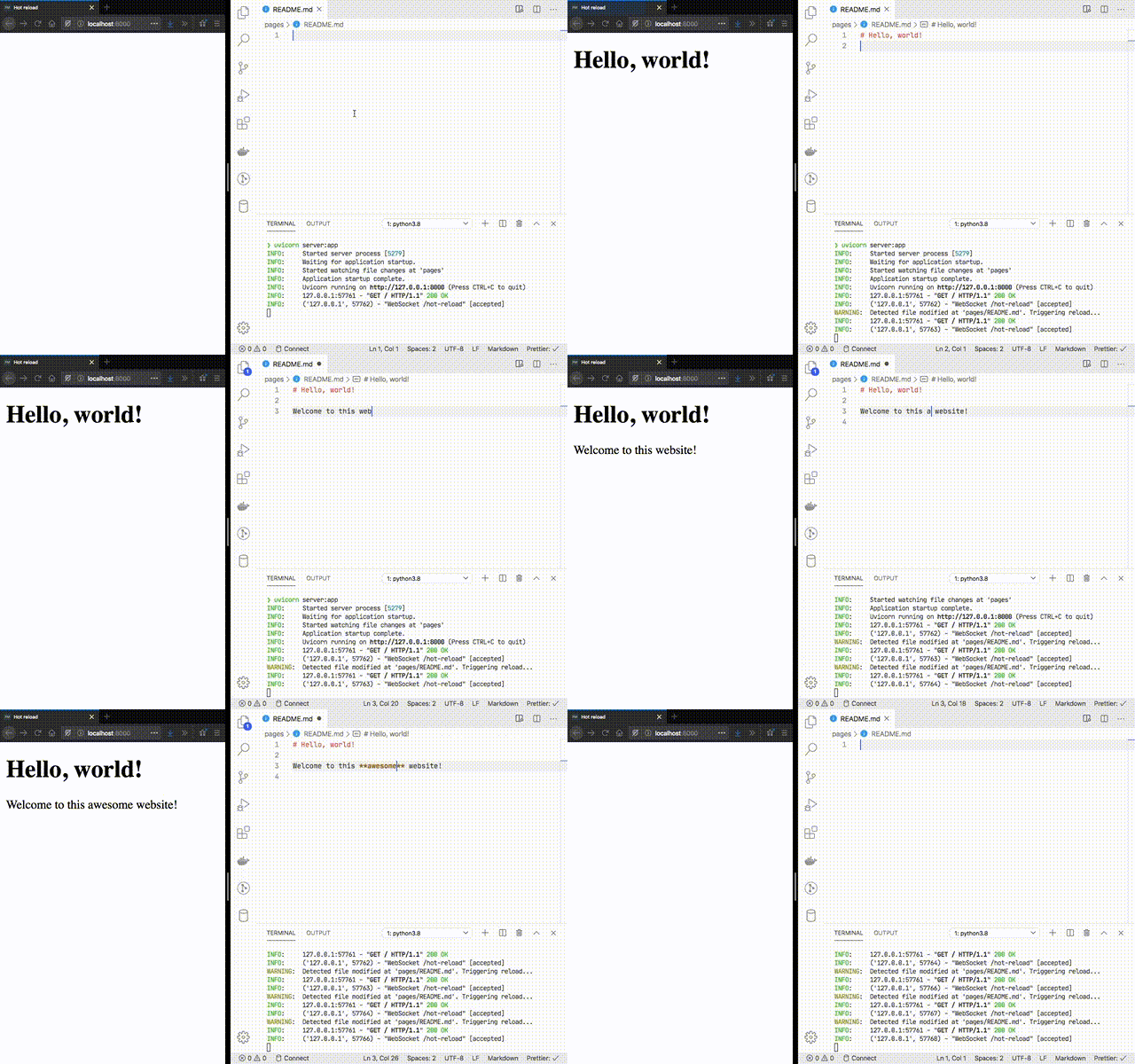
arel watches changes over a set of files. When a file changes, arel notifies the browser (using WebSocket), and an injected client script triggers a page reload. You can register your own reload hooks for any extra server-side operations, such as reloading cached content or re-initializing other server-side resources.
Installation
pip install 'arel==0.4.*'
Quickstart
For a working example using Starlette, see the Example section.
Although the exact instructions to set up hot reload with arel depend on the specifics of your ASGI framework, there are three general steps to follow:
-
Create an
HotReloadinstance, passing one or more directories of files to watch, and optionally a list of callbacks to call before a reload is triggered:import arel async def reload_data(): print("Reloading server data...") hotreload = arel.HotReload( paths=[ arel.Path("./server/data", on_reload=[reload_data]), arel.Path("./server/static"), ], ) -
Mount the hot reload endpoint, and wire its startup and shutdown into the application's lifespan. If using Starlette, this can be done like this:
from contextlib import asynccontextmanager from starlette.applications import Starlette from starlette.routing import WebSocketRoute @asynccontextmanager async def lifespan(app): await hotreload.startup() try: yield finally: await hotreload.shutdown() app = Starlette( routes=[WebSocketRoute("/hot-reload", hotreload, name="hot-reload")], lifespan=lifespan, ) -
Add the JavaScript code to your website HTML. If using Starlette with Jinja templates, you can do this by updating the global environment, then injecting the script into your base template:
templates.env.globals["DEBUG"] = os.getenv("DEBUG")  # Development flag.
templates.env.globals["hotreload"] = hotreload
<body> <!-- Page content... --> <!-- Hot reload script --> {% if DEBUG %} {{ hotreload.script(url_for('hot-reload')) | safe }} {% endif %} </body>
Example
The example directory contains an example Markdown-powered website that uses arel to refresh the browser when Markdown content or HTML templates change.
License
MIT