gautamgupta /
Simple-Android-OCR
A simple Android OCR application that makes use of the Camera app
58/100 healthActive repository
JavaNo license#android-ocr#java#ocr
⑂ 296 forks◯ 0 issuesUpdated Mar 31, 2026
Loading repository data…
florent37 / repository
A simple and Elegant Showcase view for Android
A transparent discovery signal based on current public GitHub metadata.
This score does not audit code, security, maintainers, documentation quality, or suitability. Verify the repository and its current documentation before adoption.
A simple and Elegant Showcase view for Android
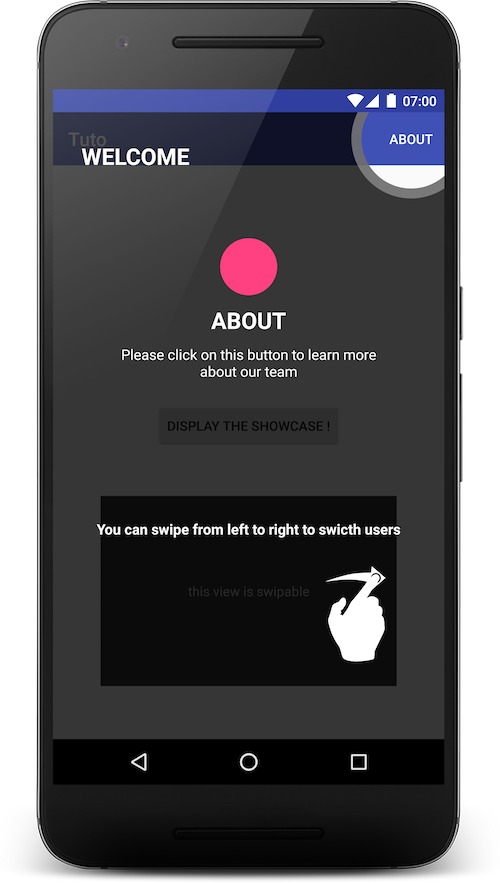
TutoShowcase.from(this)
    .setContentView(R.layout.tuto_sample)

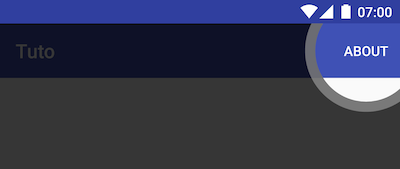
    .on(R.id.about) //a view in actionbar
    .addCircle()
    .withBorder()
    .onClick(new View.OnClickListener() {
        @Override
        public void onClick(View v) {
            //custom action
        }
    })

    .on(R.id.swipable)
    .displaySwipableRight()

    .show();

compile 'com.github.florent37:tutoshowcase:1.0.1'
You can simply limit a showcase visibility to once with .showOnce(string)
It's simple to add a content view into the TutoShowcase, you can for example add images or descriptions texts
TutoShowcase.from(this)
    .setContentView(R.layout.tuto_sample)
    ...
    .show()
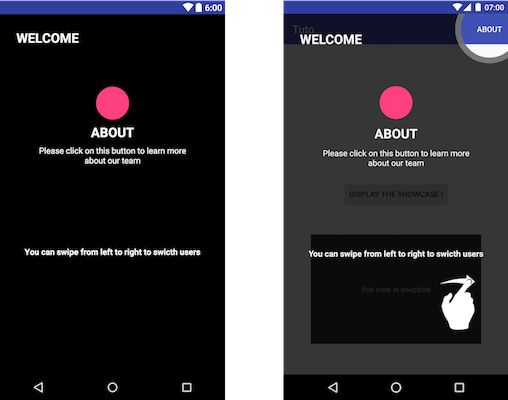
You can higlight some elements to user
.on(view)
.addCircle()
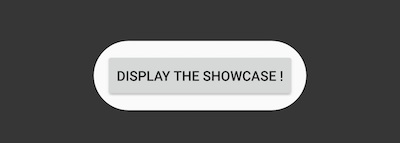
.on(view)
.addRoundRect()
Some actions can be explained to the user
.on(view)
.displayScrollable()
.on(view)
.displaySwipableLeft()
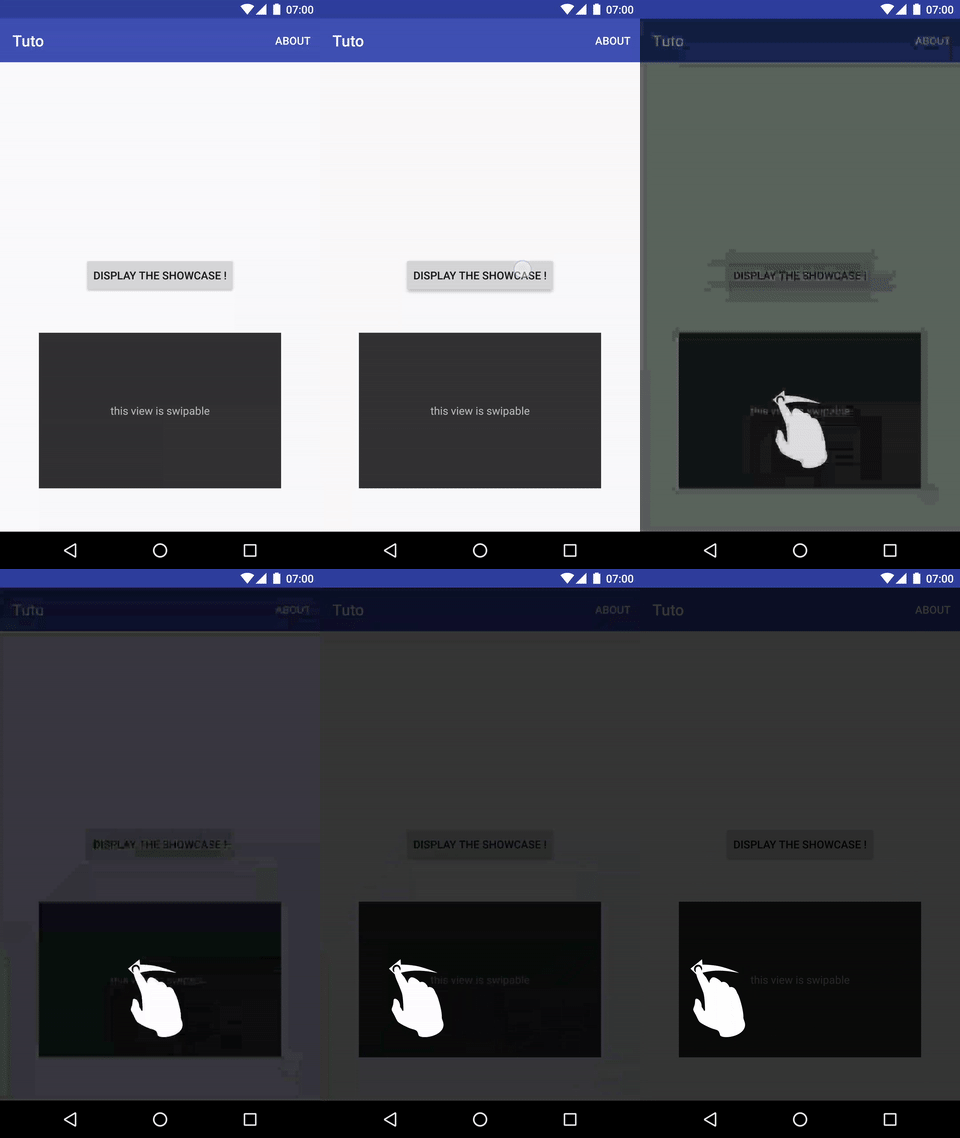
.on(view)
.displaySwipableRight()
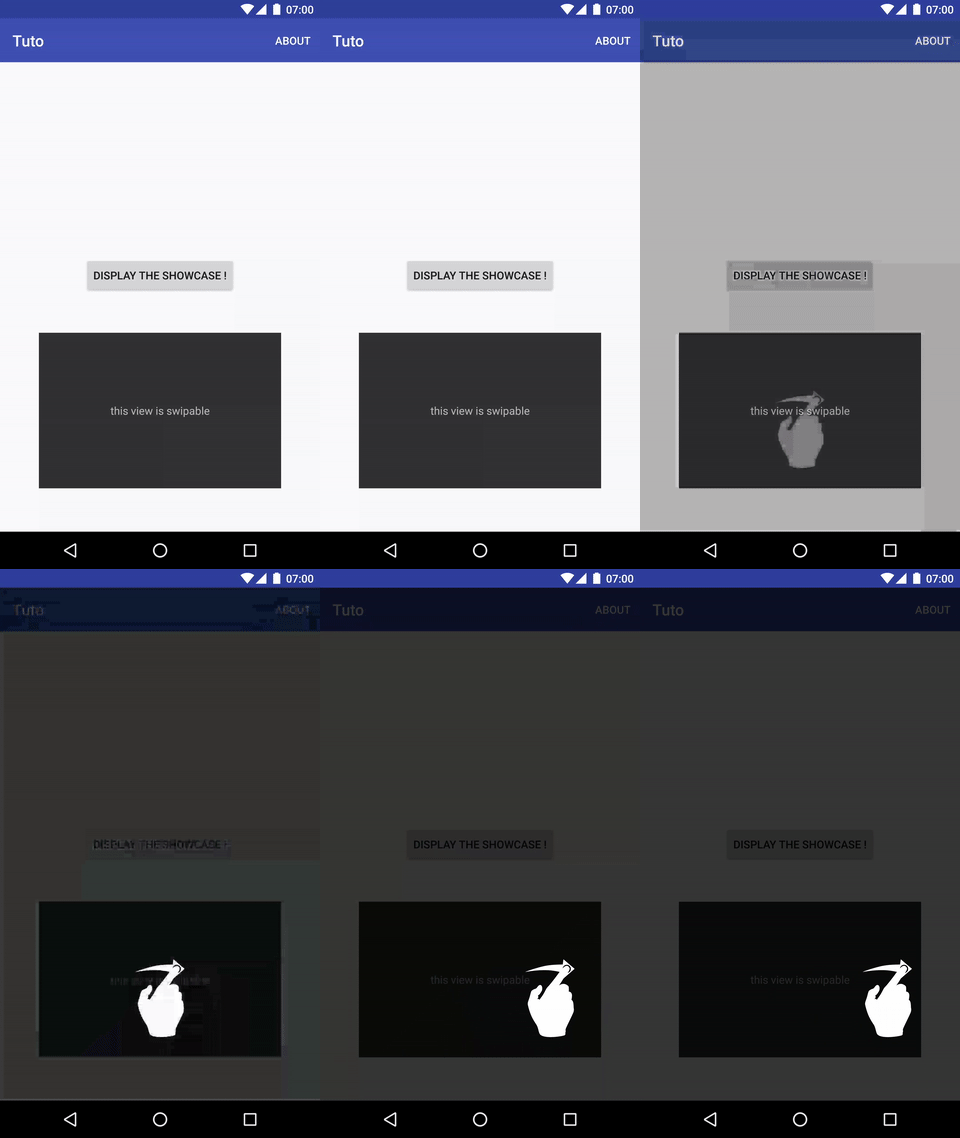
You can listen for indicator click
.on(view)
. //your indicator
.onClick(new View.OnClickListener(){
    public void onClick(View view){
         //your action
    }
}
If you have any clickable view into your content layout
TutoShowcase.from(this)
    .setContentView(R.layout.tuto_sample)
    .onClickContentView(R.id.clickableView, new View.OnClickListener() {
        @Override
        public void onClick(View view) {

        }
    })
    ...
    .show()
Fiches Plateau Moto : https://www.fiches-plateau-moto.fr/
Selected from shared topics, language and repository description—not editorial ratings.
gautamgupta /
A simple Android OCR application that makes use of the Camera app
58/100 healthJesseFarebro /
A simple MQTT Service that will keep running for the duration of your Android application using the Paho Java MQTT Client.
29/100 healthSimple chat Application with one to one connectivity using Firebase Real time Database written in MVC,MVP and MVVM architecture to better understand the android coding patterns. Purpose of writing same application functionality with 3 different pattern is to show how single application can be developed using 3 different patterns(Mvc, Mvp, Mvvm).
AliAsadi /
A basic sample android application to understand MVVM in a very simple way.
57/100 healthAliAsadi /
🏛 A basic sample android application to understand MVP in a very simple way. Just clone, build, run and understand MVP.
73/100 healthvestrel00 /
Simple application using Dagger Android (2.11-2.17), Butterknife (8.7-8.8), and Model-View-Presenter (MVP) with support for Singleton, Activity, Fragment, and child Fragment scopes written in Java and Kotlin
83/100 health