Loading repository data…
fgl27 / repository
SmartTwitchTV
A Twitch web client that works on Android TVs and web base systems
#android#css#html#java#javascript#node
Live repository statistics
★ 640Stars
⑂ 50Forks
◯ 59Open issues
◉ 640Watchers
README preview
SmartTV Twitch AndroidTV APK
- About the project
- About this fork
- How the application works
- How the application looks
- How to translate this
- Download
- Dependencies
- Are phones and tablets supported?
- Authorization
- How to build, languages and etc related
- How to test the Web app
- Contributing instructions
- How to make changes and test it
- Changelog
- TODO list
- Donations
- In doubt open a issue
About the project
This is a web application designed to give access to Twitch features on SmartTV's, the official Twitch app is not available for most devices, that is why this project exists.
The intention of this is to make a web app that works on all modern browsers and can be easily ported to any OS that can run a web app.
This app has no affiliation with Twitch, this is a user made app, but is only possible because Twitch provides all the APIs that allow the app to show Twitch content.
Those APIs are documented here:
Twitch Developer Documentation
This app has to be registered to access Twitch API, that registration process is described here:
This project is the main project of two Twitch projects I current maintain, originally I started working on the smarttv-twitch repo, I'm using separate repos to make it easier to use GitHub pages and keep commit history separated.
The original project runs on Samsung Tizen OS, which is very limited. Because of that, the Android version has become the main project, not all features of the Android project can be ported to the Samsung one, but from time to time I will port the features from the Android version to the Samsung version.
About this fork
I initially forked this from https://github.com/CazuzaCzz/SmartTwitchTV/commits/tizen The original fork is https://github.com/nikitakatchik/SmartTwitchTV
I have started this project because the above repos of the app did not fully support my TV model (at the time this was a Samsung Tizen OS only project) and didn't have all possible Twitch features.
I keep the original name and commit history but not as a fork simply because I made so many changes and it makes no sense to call this a fork. I have made a new application from scratch focusing on performance and all available Twitch features, with the help of users and contributors reporting bugs and asking for features the app has become what is today, an app that can be easily used to watch all available Twitch content and give the user lots of extra options, but I know that the application can be improved with new features and improvements are always in the works, mostly to provide better experience and more options to the user, but that process is slow mostly because there is only one person working on the project and that work is done for free on spare time.
How the application works
The application is split into two parts: a web app and an Android APK.
The web app
The web app is a web page Click here to access it, this page contains the app user interface and most of the app logic.
The APK
The APK holds two main views of the app:
- the Webview the view that loads - the web app page
- the PlayerActivity - the main app activity and the activity that holds the app players and web UI The APK also handles the Android specific interactions that the app needs to make all to work.
The interactions between web app and APK
The web app and the APK use a "OS interface" to communicate back and forth.
The web app interacts with the APK by using one of the functions in SmartTwitchTV/app/specific/OSInterface.js. Each of those functions has a "mirror function" on the Java side of the code, the Java side of those functions is annotated with JavascriptInterface in PlayerActivity. That JavascriptInterface uses the class named public class WebAppInterface to hold all the functions.
To communicate with the web app, the APK will use this function call WebView.loadUrl("javascript:smartTwitchTV.FUN_NAME()") where that FUN_NAME must be one of the functions exposed by app API
In order for the app to work, the back and forth communication between the UI and the APK is necessary. The process is technically simple but if you've never seen it, it may seem complicated at first.
How the application looks
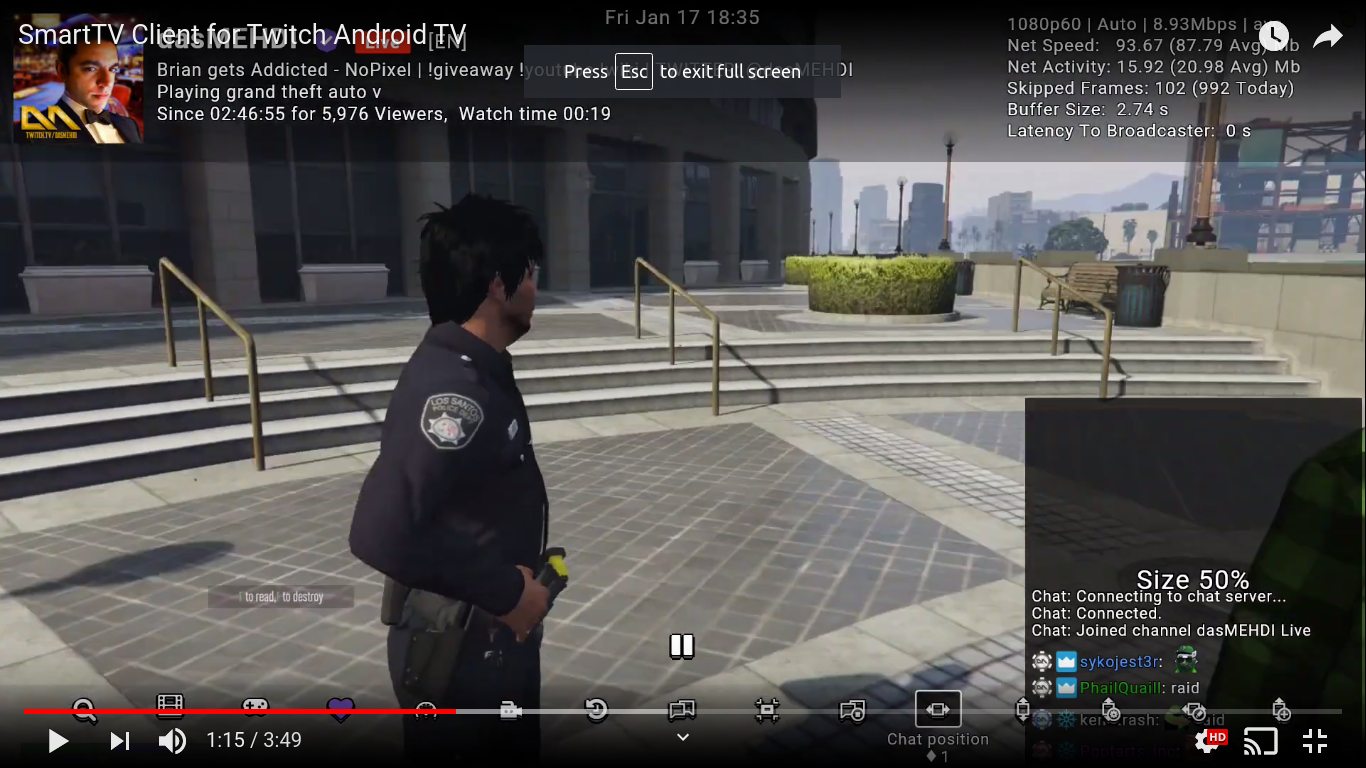
The application never stops receiving updates. The below video may be outdated, I try to keep an updated video always available but is not a priority
How to translate this
The app has two strings files:
Follow the below instruction to translate, test and send the files back.
How to translate and test?
- Download and extract the app source
- Navigate and open app/languages/en_US.js and follow the below Translate and Testing steps
- Do the same for apk/app/src/main/res/values/strings.xml
Translate
- Translate all string to the language you're adding
- Delete from the file any string that when translated has no difference to the original EN_US String
- Remove from the file any string that wasn't translated and add it to a separate file named
untranslated_js.txtforapp/languages/en_US.jsanduntranslated_xml.txtforapk/app/src/main/res/values/strings.xml; make sure you inform why you didn't translate in case there's an issue that needs to be resolved. - The files
untranslated_*.txtmust be named this way so in the future it's easier to know which strings need to be updated, as when changes are made to the original strings I may remove them from the translation so the translator knows that they need to update, also new strings created after the translation will be added tountranslated_*.txt
Testing app/languages/en_US.js
This file is part of the web app. The easiest wat to test that file is to:
- Open app/index.html locally in a web browser (recommended Chrome), that will load the web app
- To navigate use the keyboard arrow keys, enter and esc
- Make sure you go to all app screens included in the player (open Live, VOD and clips) and check if the translated strings do not overflow or cause the app to look odd
- Make sure you open the side panel screens Settings, About and Controls, as those are the screens that have more text so they usually need some work to make everything look OK
- If any screen looks odd and there's no way to make the string fit, inform which string/screen has the problem when you share the file
- If you want to compare your changes VS the original app side by side, open the main app page in a new browser tab
Testing apk/app/src/main/res/values/strings.xml
This file is part of the APK and it's technically not needed to test it, just make sure you've followed the Translate instructions, I will do a check, and if I find an issue I'll let you know.
How to send the files
If you're updating an existing language, you can send the update via GitHub pull request (that is the preferred way), but if you don't use GitHub, just send the files via email fglfgl27@gmail.com, make sure to send the full file not just what you have changed.
If you're adding a new language, send all the files (including the untranslated_*.txt) via a issue or a email fglfgl27@gmail.com (specify the language they are for, make sure you've tested/validated the files and report the result and issues you've found). Once those files are added to the repository, one can update them just using GitHub pull request.
Download
If you are using this on an Android TV device, install it from Google Play. If you can't see the app on the store, use the release version. You can't install the release APK if you already have the Google Play store APK installed and vice versa.
Download APK from last release version
Dependencies
Web Dependencies
- crass - A CSS minification, pretty printing, and general utility library written in JS
- Fontastic - Create your customized icon fonts in seconds
- HTMLMinifier - is a highly configurable, well-tested, JavaScript-based HTML minifier
- irc-message - Performant, streaming IRC message parser
- JSHint - A Static Code Analysis Tool for JavaScript
- [punycode