Loading repository data…
cubiclesoft / repository
php-app-server
Create lightweight, installable applications written in HTML, CSS, Javascript, and PHP for the Windows, Mac, and Linux desktop operating systems.
#app-server#inno-setup#linux-desktop#mac-osx#php-framework#windows
Live repository statistics
★ 119Stars
⑂ 31Forks
◯ 1Open issues
◉ 119Watchers
README preview
PHP App Server
Create lightweight, installable applications written in HTML, CSS, Javascript, and PHP for the Windows, Mac, and Linux desktop operating systems.
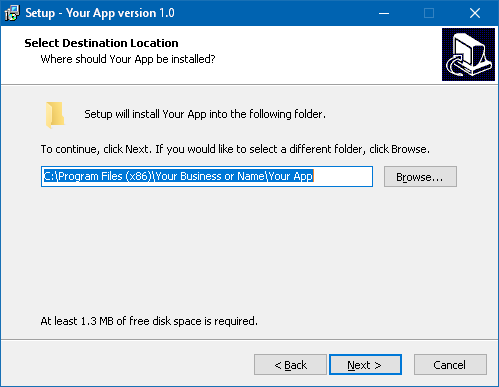
What can be created with PHP App Server are real, installable software applications that take a fraction of the time to create when compared to traditional desktop application development. Go from idea/concept to full deployment in 1/10th the time and support every major desktop OS with just one code base.

PHP App Server is a fully-featured and extensible web server written in PHP with custom features specially designed to be used in a traditional desktop OS environment. When the user runs the software via their Start menu, application launcher, etc., the software starts the server and then launches the user's preferred web browser to access the application. PHP powers the backend while the web browser handles all the nitty-gritty details of displaying the user interface. The ready-made installer scripts simplify the process of creating final release packages for delivery to your user's computer systems.


Features
- Fully extensible web server written in PHP. (This is not the built-in web server found in PHP itself.)
- Relies on the user's preferred web browser instead of a traditional GUI. Write applications with HTML, CSS, Javascript, and PHP.
- Long running process and high-performance localhost API support.
- WebSocket support.
- Virtual directory support.
- Dual document roots.
- Access and error logging.
- Zero configuration.
- Pre-made boilerplate installer scripts for Windows (EXE and MSI), Mac (.app bundle in a .tar.gz), and Linux (.tar.gz) with custom EULA and clean update support.
- Tiny installer sizes. From 85KB (Linux, .tar.gz) up to 10MB (Windows, .exe). When paying per GB of transfer, every byte counts.
- Branded to look like your own software application. Your app's custom icon is placed in the Start menu, application launcher, desktop/dock, etc.
- Optionally integrates with the open source, high-performance CubicleSoft Software License Server. Quickly and easily enable license management in your software product.
- Fully isolated, zero conflict software.
- Compatible with CubicleSoft software.
- Has a liberal open source license. MIT or LGPL, your choice.
- Designed for relatively painless integration into your project.
- Sits on GitHub for all of that pull request and issue tracker goodness to easily submit changes and ideas respectively.
Getting Started
Download or clone the latest software release. When cloning, be sure to use a fork and create a branch for your app before beginning development. Doing so avoids accidentally overwriting your software whenever you fetch upstream updates for PHP App Server itself.
For the rest of this guide, a recent version of PHP is assumed to be installed. There are many ways to make that happen.
From a command-line, run the following to get a list of command-line options:
php server.php -?
Start a web server on port 9002 by running:
php server.php -port=9002
The directory structure of PHP App Server is as follows:
- www - Where standard web server files go, including PHP files. This is actually treated as a view of two separate directories.
- support - Contains files required by
server.phpto operate. - extensions - Where long running processes, high performance APIs, and WebSocket responders can be registered.
- installers - Pre-made installer scripts for various OSes.
Create an index.php file in the 'www' directory:
<?php
	phpinfo();
Connect to the running server with your web browser at:
http://127.0.0.1:9002/
The output of phpinfo() is displayed in the browser and the result of the request is written to the command-line.
Change the URL to:
http://127.0.0.1:9002/api/v1/account/info
The same index.php file runs.
Rename or copy the index.php file to api.php and reload the page. Now api.php is being called. The virtual directory feature of PHP App Server is something that you might find useful as you develop your application.
Dual Document Roots
Installed software applications cannot write to 'www'. Applications are usually installed by a privileged user on the system but the person running the software will generally not have sufficient permissions to write to the 'www' directory. This is an important consideration to keep in mind while developing a software application using PHP App Server. Fortunately, there is a solution to this problem already built into the server: Dual document roots.
When PHP code is executing from the application's 'www' directory, it has access to five $_SERVER variables that are passed in by and are unique to the PHP App Server environment:
- $_SERVER["DOCUMENT_ROOT_USER"] - A document root that can be written to and referenced by URLs. Resides in the user's HOME directory on a per-OS basis. Note that any '.php' files stored here are ignored by PHP App Server for security reasons.
- $_SERVER["PAS_USER_FILES"] - The parent directory of
DOCUMENT_ROOT_USER. Can also be written to but cannot be referenced by URLs. Useful for storing private data for the application (e.g. a SQLite database). - $_SERVER["PAS_PROG_FILES"] - The directory containing the access and error log files for PHP App Server. Useful for providing a page in the application itself to view the error log file and other debugging information, which could be useful for debugging issues with the installed application on a user's system.
- $_SERVER["PAS_ROOT"] - The root directory containing the application server (i.e. where
server.phpresides). Useful for accessing files in thesupportsubdirectory. - $_SERVER["PAS_SECRET"] - An internal, per-app instance session secret. Useful for generating application XSRF tokens.
When a request is made to the web server, PHP App Server looks first for files in the application's 'www' directory. If it doesn't find a file there, it then checks for the file in the path specified by DOCUMENT_ROOT_USER.
Writing Secure Software
Writing a localhost server application that relies on a web browser can result in serious system security violations ranging from loss of data control to damaging the user's file system. As long as the application is written correctly, the web browser's policies will generally protect the user from malicious websites and users that attempt to access PHP App Server controlled content.
However, here are a few important, select security related items that all PHP App Server based software applications must actively defend against (in order of importance):
- Sensitive data exposure - Use
$_SERVER["PAS_USER_FILES"]or a user-defined location to store sensitive user data instead of$_SERVER["DOCUMENT_ROOT_USER"]. Always ask the user what to do if they might consider something to be sensitive (e.g. asking could be as simple as displaying a checkbox to the user). Privacy-centric individuals will generally speak their mind. - Cross-site request forgery attacks -
$_SERVER["PAS_SECRET"]combined with CubicleSoft Admin Pack or other application frameworks help to handle this issue. Server extensions also generally require an authentication token based on$_SERVER["PAS_SECRET"]. - Session fixation attacks - The security token extension that is included with PHP App Server automatically deals with this issue.
- SQL injection attacks - Relevant when using a database. To avoid this, just don't run raw queries and use a good Database Access Layer (DAL) class like CSDB.
There are many other security considerations that are in the OWASP Top 10 list and the OWASP attacks list to also keep in mind, but those are the big ones.
Long-Running Processes
PHP App Server includes a powerful server extension and two SDKs to make starting, managing, and monitoring long-running processes easy and secure from both PHP and Javascript. Started processes run as the user that PHP App Server is running as but aren't limited by timeouts or memory limits like regular CGI/FastCGI requests are. Running processes can be actively monitored and even interacted with from the web browser via the included Javascript SDK.

Long-running scripts should ideally be stored in a 'scripts' subdirectory off the main PHP App Server 'support' directory. That way they are away from the main web root but the application can still find them via $_SERVER["PAS_ROOT"].
Here's an example of starting a PHP script called 'test.php' using the PHP SDK:
<?php
	$rootpath = str_replace("\\", "/", dirname(__FILE__));

	// Load the PHP App Server common functions.
	require_once $_SERVER["PAS_ROOT"] . "/support/process_helper.php";
	require_once $_SERVER["PAS_ROOT"] . "/support/pas_functions.php";

	$cmd = escapeshellarg(PAS_GetPHPBinary());
	$cmd .= " " . escapeshellarg(realpath($_SERVER["PAS_ROOT"] . "/support/scripts/test.php"));

	$options = array(
//		"rules" => array(
//			"start" => time() + 5,
//			"maxqueued" => 3
//		),
//		"stdin" => false,
//		"dir" => $_SERVER["PAS_ROOT"] . "/support/scripts/",
//		"env" => ProcessHelper::GetCleanEnvironment(),
//		"extraenv" => array("PASSWORD" => "supersecret"),
//		"extra" => array(
//			"title" => "Custom window title",
//			"inputmode" => "readline"
//		)
	);

	// Start the process.
	require_once $rootpath . "/support/pas_run_process_sdk.php";

	$rp = new PAS_RunProcessSDK();

	$result = $rp->StartProcess("demo", $cmd, $options);
	if (!$result["success"])  echo "An error occurred while starting a long-running process.";

	echo "Done.";
?>
Each process is given a tag, which allows multiple running processes to be grouped by tag. In the example above, the tag is called "demo". The Javacsript SDK can later be used to show only processes that use a specific tag:
<?php
	header("Content-Type: text/html; charset=UTF8");
?>
<!DOCTYPE html>
<html>
<body>
<?php
	$rootpath = str_replace("\\", "/", dirname(__FILE__));

	require_once $rootpath . "/support/pas_run_process_sdk.php";

	PAS_RunProcessSDK::OutputCSS();
	PAS_RunProcessSDK::OutputJS();
?>
<div id="terminal-manager"></div>

<script type="text/javascript">
// NOTE:  Always put Javascript RunProcesSDK and TerminalManager class instances in a Javascript closure like this one to limit the XSRF attack surface.
(function() {
	// Establish a new connection with a compatible WebSocket server.
	var runproc = new RunProcessSDK('<?=