Inquirer


A collection of common interactive command line user interfaces.
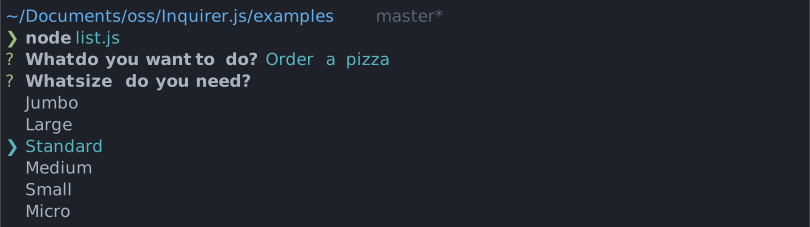
Give it a try in your own terminal!
npx @inquirer/demo@latest
Installation
npm install @inquirer/prompts
yarn add @inquirer/prompts
pnpm add @inquirer/prompts
bun add @inquirer/prompts
[!NOTE]
Inquirer recently underwent a rewrite from the ground up to reduce the package size and improve performance. The previous version of the package is still maintained (though not actively developed), and offered hundreds of community contributed prompts that might not have been migrated to the latest API. If this is what you're looking for, the previous package is over here.
Usage
import { input } from '@inquirer/prompts';

const answer = await input({ message: 'Enter your name' });
Prompts
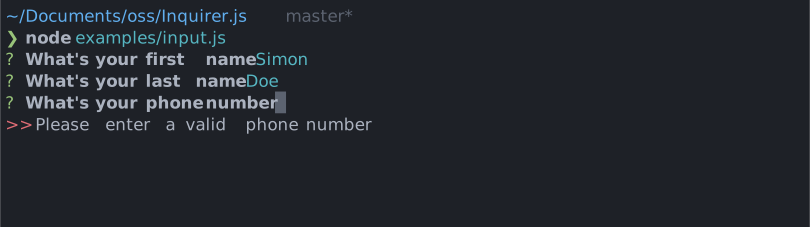
import { input } from '@inquirer/prompts';
See documentation for usage example and options documentation.
import { select } from '@inquirer/prompts';
See documentation for usage example and options documentation.
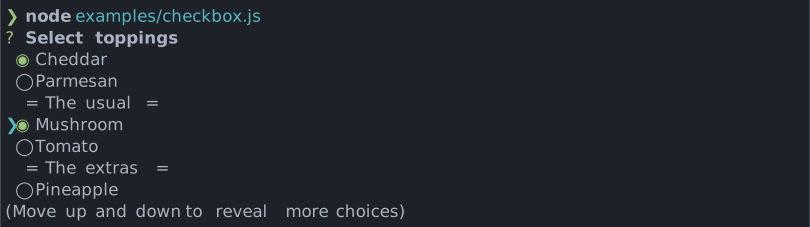
import { checkbox } from '@inquirer/prompts';
See documentation for usage example and options documentation.
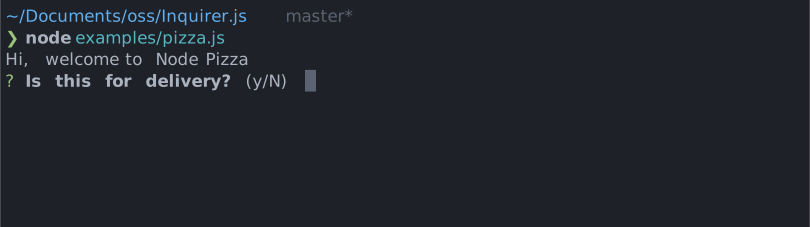
import { confirm } from '@inquirer/prompts';
See documentation for usage example and options documentation.

import { search } from '@inquirer/prompts';
See documentation for usage example and options documentation.
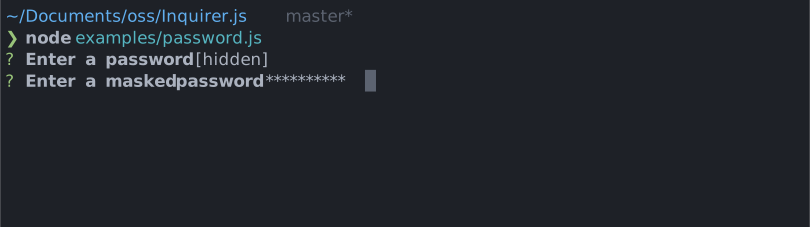
import { password } from '@inquirer/prompts';
See documentation for usage example and options documentation.
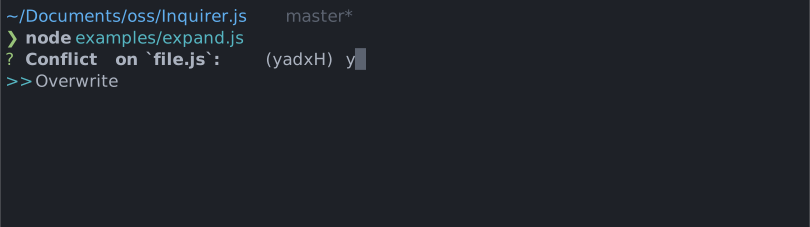
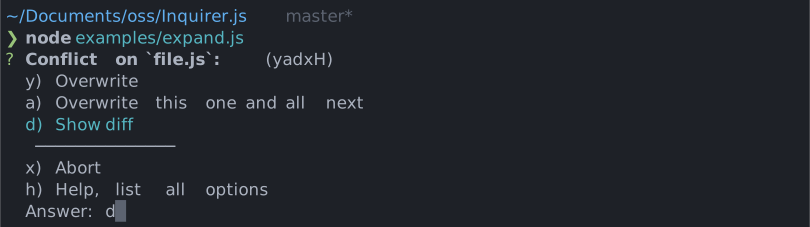
import { expand } from '@inquirer/prompts';
See documentation for usage example and options documentation.
Launches an instance of the users preferred editor on a temporary file. Once the user exits their editor, the content of the temporary file is read as the answer. The editor used is determined by reading the $VISUAL or $EDITOR environment variables. If neither of those are present, the OS default is used (notepad on Windows, vim on Mac or Linux.)
import { editor } from '@inquirer/prompts';
See documentation for usage example and options documentation.
Very similar to the input prompt, but with built-in number validation configuration option.
import { number } from '@inquirer/prompts';
See documentation for usage example and options documentation.
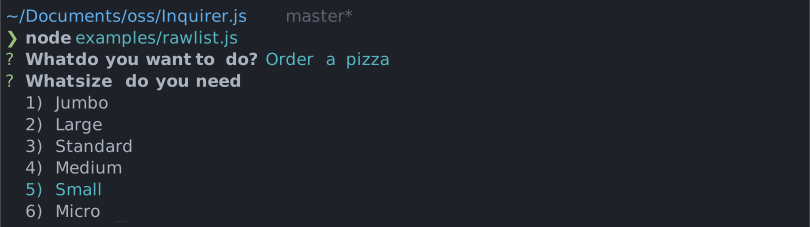
import { rawlist } from '@inquirer/prompts';
See documentation for usage example and options documentation.
Internationalization (i18n)
Need prompts in a language other than English? The @inquirer/i18n package is a drop-in replacement for @inquirer/prompts with built-in localization.
The root import automatically detects your locale from the LANGUAGE, LC_ALL, LC_MESSAGES, and LANG environment variables (falling back to the Intl API). If no supported locale is found, English is used.
// Drop-in replacement — locale is auto-detected from environment variables
import { input, select, confirm } from '@inquirer/i18n';
Built-in locales include English, French, Spanish, Chinese (Simplified), and Portuguese. You can also pin to a specific language via sub-path imports (e.g. @inquirer/i18n/fr), or use the createLocalizedPrompts and registerLocale APIs to add your own.
See the full documentation for available languages and how to create a custom locale.
Create your own prompts
The API documentation is over here, and our testing utilities here.
Advanced usage
All inquirer prompts are a function taking 2 arguments. The first argument is the prompt configuration (unique to each prompt). The second is providing contextual or runtime configuration.
The context options are:
| Property | Type | Required | Description |
|---|
| input | NodeJS.ReadableStream | no | The stdin stream (defaults to process.stdin) |
| output | NodeJS.WritableStream | no | The stdout stream (defaults to process.stdout) |
| clearPromptOnDone | boolean | no | If true, we'll clear the screen after the prompt is answered |
| signal | AbortSignal | no | An AbortSignal to cancel prompts asynchronously |
[!WARNING]
When providing an input stream or piping process.stdin, it's very likely you need to call process.stdin.setRawMode(true)
before calling inquirer functions. Node.js usually does it automatically, but when we shadow the stdin, Node can loss track
and not know it has to. If the prompt isn't interactive (arrows don't work, etc), it's likely due to this.
When running Inquirer from an existing node:readline interface, pause the readline instance before starting the prompt, then resume it after the prompt settles. This makes the handoff of process.stdin ownership explicit and prevents the parent readline loop from losing control of the input stream.
const answer = await rl.question('Command: ');

if (answer === 'configure') {
  rl.pause();

  try {
    const value = await input({ message: 'Configuration value' });
  } finally {
    rl.resume();
  }
}
Example:
import { confirm } from '@inquirer/prompts';

const allowEmail = await confirm(
  { message: 'Do you allow us to send you email?' },
  {
    output: new Stream.Writable({
      write(chunk, _encoding, next) {
        // Do something
        next();
      },
    }),
    clearPromptOnDone: true,
  },
);
Canceling prompt
This can be done with either an AbortController or AbortSignal.
// Example 1: using built-in AbortSignal utilities
import { confirm } from '@inquirer/prompts';

const answer = await confirm({ ... }, { signal: AbortSignal.timeout(5000) });
// Example 2: implementing custom cancellation with an AbortController
import { confirm } from '@inquirer/prompts';

const controller = new AbortController();
setTimeout(() => {
  controller.abort(); // This will reject the promise
}, 5000);

const answer = await confirm({ ... }, { signal: controller.signal });
Recipes
Handling ctrl+c gracefully
When a user press ctrl+c to exit a prompt, Inquirer rejects the prompt promise. This is the expected behavior in order to allow your program to teardown/cleanup its environment. When using async/await, rejected promises throw their error. When unhandled, those errors print their stack trace in your user's terminal.
ExitPromptError: User force closed the prompt with 0 null
  at file://example/packages/core/dist/esm/lib/create-prompt.js:55:20
  at Emitter.emit (file://example/node_modules/signal-exit/dist/mjs/index.js:67:19)
  at #processEmit (file://example/node_modules/signal-exit/dist/mjs/index.js:236:27)
  at #process.emit (file://example/node_modules/signal-exit/dist/mjs/index.js:187:37)
  at process.callbackTrampoline (node:internal/async_hooks:130:17)
This isn't a great UX, which is why we highly recommend you to handle those errors gracefully.
First option is to wrap your scripts in try/catch; like we do in our demo program. Or handle the error in your CLI framework mechanism; for example Clipanion catch method.
Lastly, you could handle the error globally with an event listener and silence it.
process.on('uncaughtException', (error) => {
  if (error instanceof Error && error.name === 'ExitPromptError') {
    console.log('👋 until next time!');
  } else {
    // Rethrow unknown errors
    throw error;
  }
});
Get answers in an object
When asking many questions, you might not want to keep one variable per answer everywhere. In which case, you can put the answer inside an object.
import { input, confirm } from '@inquire