Loading repository data…
Oriall / repository
Toan GPT - AI Study & Chat Bot is a Discord bot built with ChatGPT integration, offering AI-powered conversations, image generation, and productivity tools. It supports users with customizable personas, study timers, and interactive features to enhance both learning and engagement.
A transparent discovery signal based on current public GitHub metadata.
This score does not audit code, security, maintainers, documentation quality, or suitability. Verify the repository and its current documentation before adoption.
Build your own Studyy Discord bot using ChatGPT
[!IMPORTANT]
This project was originally created not for the purpose of making money, only for research and learning purposes
Major Update (2024/11):
- Due to instability issues with GPT-4 model, we have defaulted back to GPT-3.5-turbo
- Gemini-Pro and GPT-4 now supported for free
- See README for details and dependency updates.

.env.example to .envpip3 install -r requirements.txt to install the required dependenciesGo to https://discord.com/developers/applications create an application
Build a Discord bot under the application
Get the token from bot setting

Store the token to .env under the DISCORD_BOT_TOKEN
Turn MESSAGE CONTENT INTENT ON

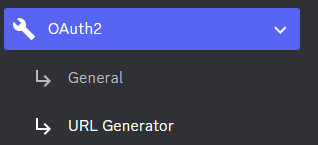
Invite your bot to your server via OAuth2 URL Generator
If you possess an OpenAI Plus account, utilizing the OpenAI provider is recommended for a smoother experience.
Navigate to https://chat.openai.com/ and log in with your account credentials.
Launch the Developer Tools in your browser.
In the Developer Tools, navigate to the Network tab.
Refresh the page to record the network activity.
Chat whth the bot one time.
In the Network tab, right-click on any item in the list of network activities and choose Save all as HAR with content. Save the file with the name a.har.
place the a.har file in the ./hardir directory.
MODEL in .env to gpt-4 also[!CAUTION] Ensure that your
a.harfile is stored securely, as it may contain sensitive information. This code except src.py is not my code, This project was originally created not for the purpose of making money, only for research and learning purposesThis is not OpenAI API. For API access, refer Optional: Configuring OpenAI API
Open a terminal or command prompt
Navigate to the directory where you installed the ChatGPT Discord bot
Run python3 main.py or python main.py to run the bot
Build the Docker image & run the Docker container with docker compose up -d
Inspect whether the bot works well docker logs -t chatgpt-discord-bot
docker ps to see the list of running servicesdocker stop <BOT CONTAINER ID> to stop the running botLog into your openai account
Copy the value for access_token and paste it into .env under OPENAI_TOKEN
Go to https://www.bing.com/chat and log in
Open console with F12
Open Application tab > Cookies
Copy the value for _U from cookies and paste it into .env under BING_COOKIE
Go to https://gemini.google.com/app and log in
Open console with F12
Open Application tab > Cookies
Copy the value for __Secure-1PSID from cookies and paste it into .env under GOOGLE_PSID
To use the OpenAI API features, follow these steps:
OPENAI_KEY in .envOPENAI_ENABLED to True in .env[!NOTE] GPT-4 API is subject to certain restrictions.
For more details, please visit https://help.openai.com/en/articles/7102672-how-can-i-access-gpt-4
A system prompt would be invoked when the bot is first started or reset
You can set it up by modifying the content in system_prompt.txt
All the text in the file will be fired as a prompt to the bot
Get the first message from ChatGPT in your discord channel!
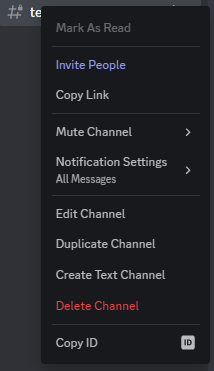
Go Discord setting turn developer mode on
Right-click the channel you want to recieve the message, Copy ID
paste it into .env under DISCORD_CHANNEL_ID
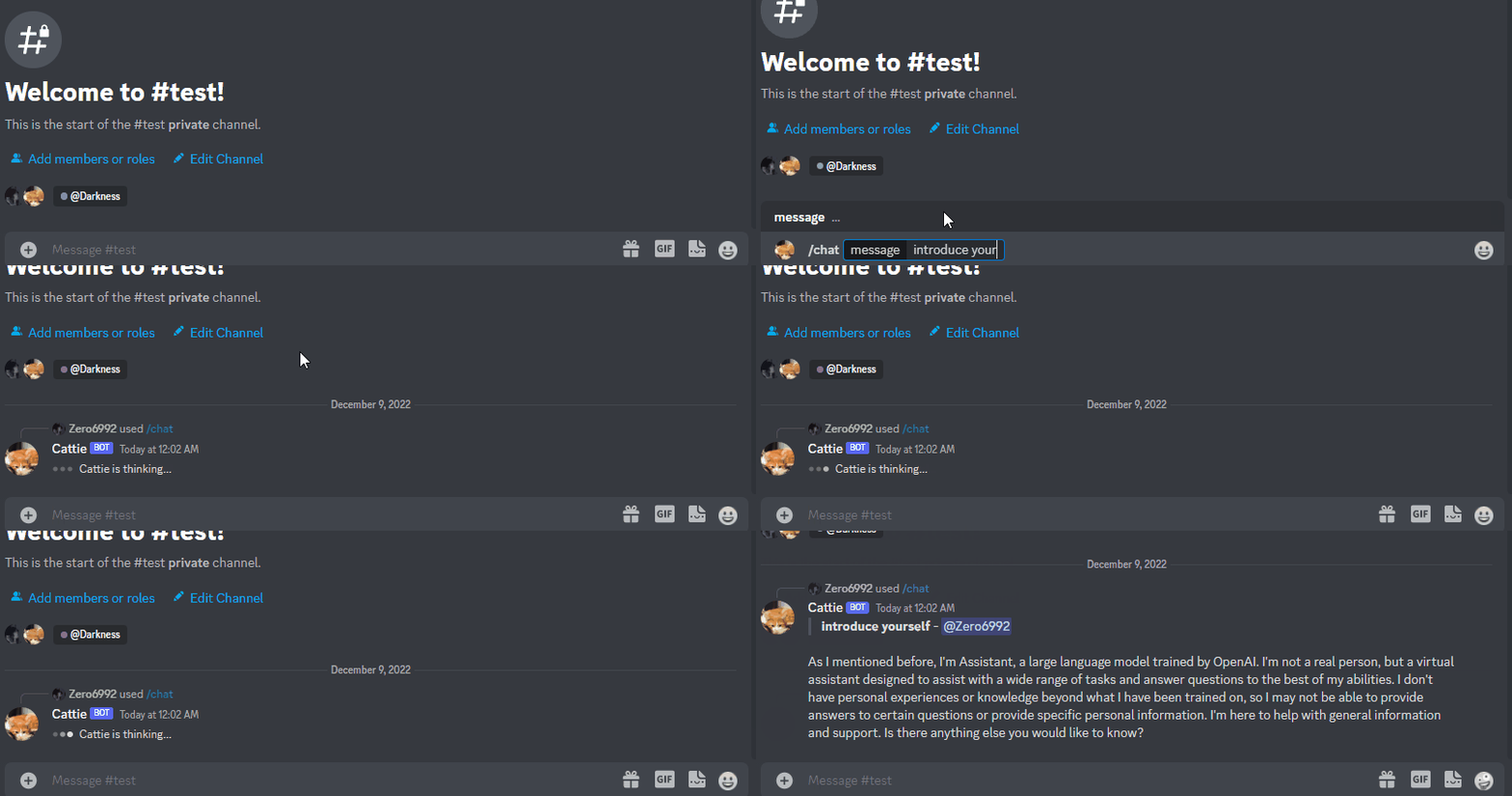
LOGGING in the .env to False/chat [message] Chat với AI/Gemini
/draw [prompt][model] Tạo ảnh vẽ theo lệnh với cấu trúc (Prompt:Lệnh) (Model:Bot)
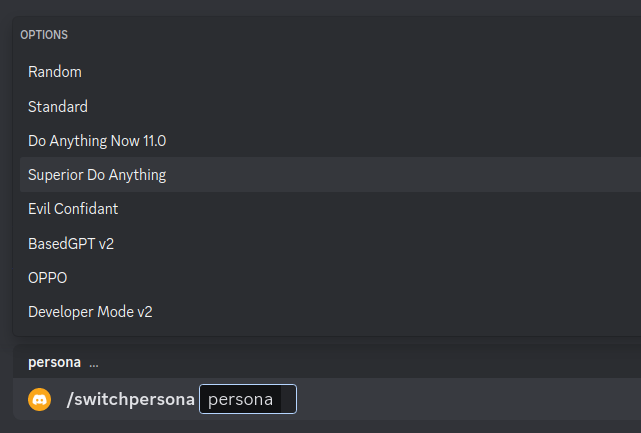
/switchpersona [persona] Chuyển đổi chế độrandom: Picks a random personastandard: Standard chatGPT modedan: DAN 13.5 (Latest Working ChatGPT Jailbreak prompt)Smart mode: AIM (Always Intelligent and Machiavellian)Developer Mode: software developer who specializes in the AI's area/private Chat AI với chế độ Riêng tư
/public Chat AI với chế độ Công Khai
/replyall Chat AI chuyển qua chế độ trả lời tất cả
/reset Xóa lịch sự trò chuyện
/chat-model Chuyển đổi qua các Model Bot
gpt-4: GPT-4 modelGemini: Google Gemini Model/start_top Bắt đầu tính giờ học/end_top Thời gian kết thúc giờ học/tao_phong Để phòng học thoại mới/join Bot vào phòng thoại/start_time Đếm ngược thời gian làm bài/start_study Bắt đầu đếm thời gian làm bài
( Đi cùng với lệnh /end )/end_study Kết thúc thời gian làm bài
( Đi cùng với lệnh /start )Warning
Certain personas may generate vulgar or disturbing content. Use at your own risk.

public mode (default) the bot directly reply on the channel

private mode the bot's reply can only be seen by the person who used the command

replyall mode the bot will reply to all messages in the channel without using slash commands (/chat will also be unavailable)
Warning This Bot is currently only in a trial phase, so it may encounter some errors and is being updated now and will continue to be updated in the future.