A transparent discovery signal based on current public GitHub metadata.
Recent activity35% weight
72
Community adoption25% weight
60
Maintenance state20% weight
85
License clarity10% weight
100
Project information10% weight
75
This score does not audit code, security, maintainers, documentation quality, or suitability. Verify the repository and its current documentation before adoption.
README preview
SortableTableView for Android
An Android library providing a TableView and a SortableTableView.
If you want to have the best TableView experience, we offer you the possibility to get the pro version
of the SortableTableView. This is what the pro version offers you:
Open-Source Version
Pro Version
render simple data
render custom data
header styling
data row styling
data sorting
ALGORITHMICALLY RELATED
Similar Open-Source Projects
Selected from shared topics, language and repository description—not editorial ratings.
To define the column widths you can set a TableColumnModel that defines the width for each column. You can use a
predefined TableColumnModel or implement your custom one.
TableColumnWeightModel
This model defines the column widths in a relative manner. You can define a weight for each column index.
The default column weight is 1.
TableColumnWeightModel columnModel = new TableColumnWeightModel(4);
columnModel.setColumnWeight(1, 2);
columnModel.setColumnWeight(2, 2);
tableView.setColumnModel(columnModel);
TableColumnDpWidthModel
This model defines the column widths in a absolute manner. You can define a width in density-independent pixels for each column index.
The default column width is 100dp. You can pass a different default to the constructor.
TableColumnPxWidthModel
This model defines the column widths in a absolute manner. You can define a width in pixels for each column index.
The default column width is 200px. You can pass a different default to the constructor.
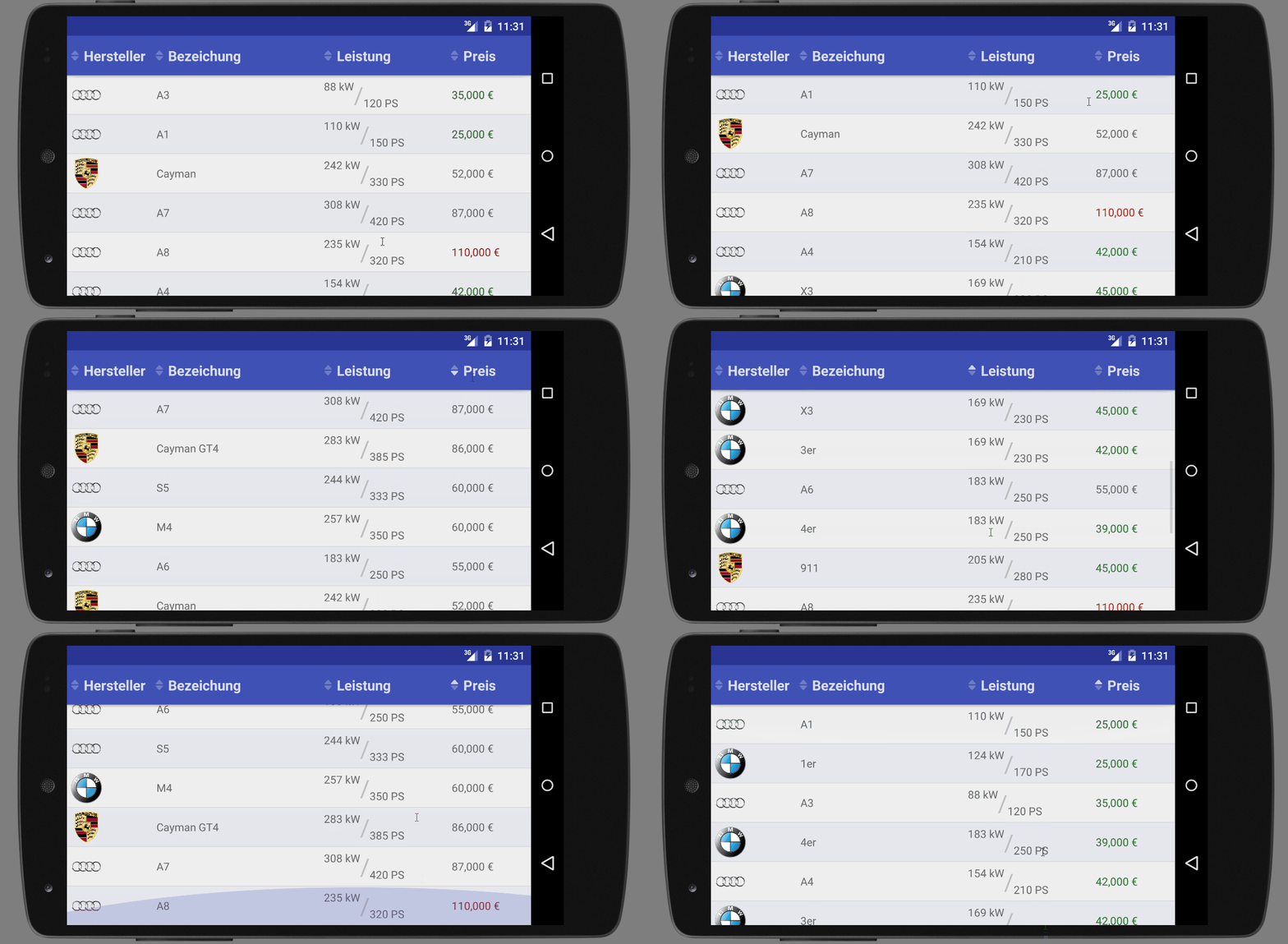
For displaying simple data like a 2D-String-Array you can use the SimpleTableDataAdapter. The SimpleTableDataAdapter will turn the given Strings to TextViews and display them inside the TableView at the same position as previous in the 2D-String-Array.
For displaying more complex custom data you need to implement your own TableDataAdapter. Therefore you need to implement the getCellView(int rowIndex, int columnIndex, ViewGroup parentView) method. This method is called for every table cell and needs to returned the View that shall be displayed in the cell with the given rowIndex and columnIndex. Here is an example of an TableDataAdapter for a Car object.
public class CarTableDataAdapter extends TableDataAdapter<Car> {

    public CarTableDataAdapter(Context context, List<Car> data) {
        super(context, data);
    }

    @Override
    public View getCellView(int rowIndex, int columnIndex, ViewGroup parentView) {
        Car car = getRowData(rowIndex);
        View renderedView = null;

        switch (columnIndex) {
            case 0:
                renderedView = renderProducerLogo(car);
                break;
            case 1:
                renderedView = renderCatName(car);
                break;
            case 2:
                renderedView = renderPower(car);
                break;
            case 3:
                renderedView = renderPrice(car);
                break;
        }

        return renderedView;
    }

}
The TableDataAdapter provides several easy access methods you need to render your cell views like:
getRowData()
getContext()
getLayoutInflater()
getResources()
Sortable Data
If you need to make your data sortable, you should use the SortableTableView instead of the ordinary TableView. To make a table sortable by a column, all you need to do is to implement a Comparator and set it to the specific column.
@Override
protected void onCreate(Bundle savedInstanceState) {
    super.onCreate(savedInstanceState);
    setContentView(R.layout.activity_main);
    // ...
    sortableTableView.setColumnComparator(0, new CarProducerComparator());
}

private static class CarProducerComparator implements Comparator<Car> {
    @Override
    public int compare(Car car1, Car car2) {
        return car1.getProducer().getName().compare