Loading repository data…
Loading repository data…
AnimeshMondol / repository
# SU19CSE299S02G05 <p align="center"> <img width="200" height="200" src="https://media.licdn.com/dms/image/C560BAQEFJPl7DXD1Dg/company-logo_200_200/0?e=2159024400&v=beta&t=4wzyvb7GBsvMovoet_LGS9uj_Gso_kmfWqCXnqydCDI"> </p> <h1 style="text-align: center">         North South University</h1> #        Project Name: Stop Food Waste **                      CSE299: JUNIOR DESIGN** **                        SEC: 02, Group: 05** **                Instructor:** **SHAIKH SHAWON AREFIN SHIMON (SAS3)** **                      Semester:** **Summer 2019** <br> **                        GROUP MEMBERS**                        1. **Animesh Mondol**                          **ID: 1611971042** **                   Email: animesh.sarkar02@northsouth.edu**                        2. **Shamsunnar Sumi**                          **ID: 1621762042**                    **Email: shamsunnar.sumi@northsouth.edu**           **GitHub Repository Link:** **https://github.com/AnimeshMondol/SU19CSE299S02G05NSU**                       **Date Prepared: 19/06/2019** <br><br><br><br><br> **Project Details:** Our project idea is Stop Food Waste. In our country during different program there are some large amount of food are being wasted. So we want to make a web app where people can donate that food to the poor needy people. With this web app we are trying to solve the problem of food faced by a certain amount of people in our country. We also want to use mobile phone access to the users so that they can use mobile phone to access the web page. **Features:** <br> **Login:** The system provides security features through email-password matching where only authorized user can access the system. **Admin Login:** In this part the manager will keep up the donated elements and donor details. He/ She will be able to know all the information and edit them. He/ She can assign people where to pick up the food from which will be shown in Google Map. 1. Add user 2. Remove user 3. View user 4. View request 5. Remove request 6. View donation 7. Confirm pickup location 8. Logout **User Login:** In this part user will be able to login and he/she will be able to see all the donor and there will be an option where user can be a donor. He/ She can also see the place in the map where to go, to pick up the food. **User Login:** 1. Donate food 2. Sign In 3. Become a donor 4. Send request 5. View request 6. About us 7. Contact us 8. Logout **Donate food:** In this part user can donote food by seeing the request id send by the other user. It will also contain a form where donor needs to add his name, mobile, email, req_id, quntity. By submitting the form it will take it to the user map for setup the location in the map. **Request for food:** In this part user can request for food to the website so that other user(donor) can donote food to them for donotion. **Donote Us** In this part user will have a option to donote us money if they want for the development purpose. In this part there will be Bkash and Rocket no where donors can donate us. It will contain a form where name,mobile,amount and transaction id will be asked to stored on DB. **View requests** Here user can see the pending requests for food. **About Us:** In this section there will be information about the program. **Contact Us** In this part there will be information about how to contact us and also there will be a part where user can poot comments and ask for help directly to the admin. **Technology:** HTML, PHP, CSS, Bootstrap template, My SQL Server, Google Map API. **Business Plan:** It is mainly a free to use for everyone. There will be no need for any amount of money to create an account in this webpage. But through Google AdSense we want to monetize the webpage. Also if any donor wants to donate some amount of money they can do it through Bkash , Rocket . <br><br> **Design:** We used the template of Bootstrap containing all the CSS and JS files downloaded from their website. We don't use any extra design in the webpage. But we used some image files to make the website look a little good. **Planning:** After selecting the project, we started our work by creating a UML diagram to make our work easy and it helped us to understand what we need to add or not in our website. Then we created issues in the project board. Then by weekly submission we tried to solve those issues. The project contains total of 43 closed issues which was used to make this website. All the details are shown in the project bord https://github.com/AnimeshMondol/SU19CSE299S02G05NSU/projects/1 **What did/didn't work:** Around 85-90% of our project run's very well. But we faced some problems. They are: 1. As we were unable to constract the foregin key in the DB after login the user need to input his name, mobile no , email and other informations manually. 2. For the donate us page under user, we didn't find any proper solution on how we can give the user the confermation about if his donation is received or not. So we manually take the name , mobile , the amount of money he donated and transaction id and store in the DB. 3. The admin map has some bugs that we were unable to fix. It doesn't refresh after the pickup confermation was done by the admin. 4. We wanted user to make the pickup request from his/her phone but we didn't able to make the website suitable for phones. **Screenshots:**                         **Image: DB(Foodforall)** <br> 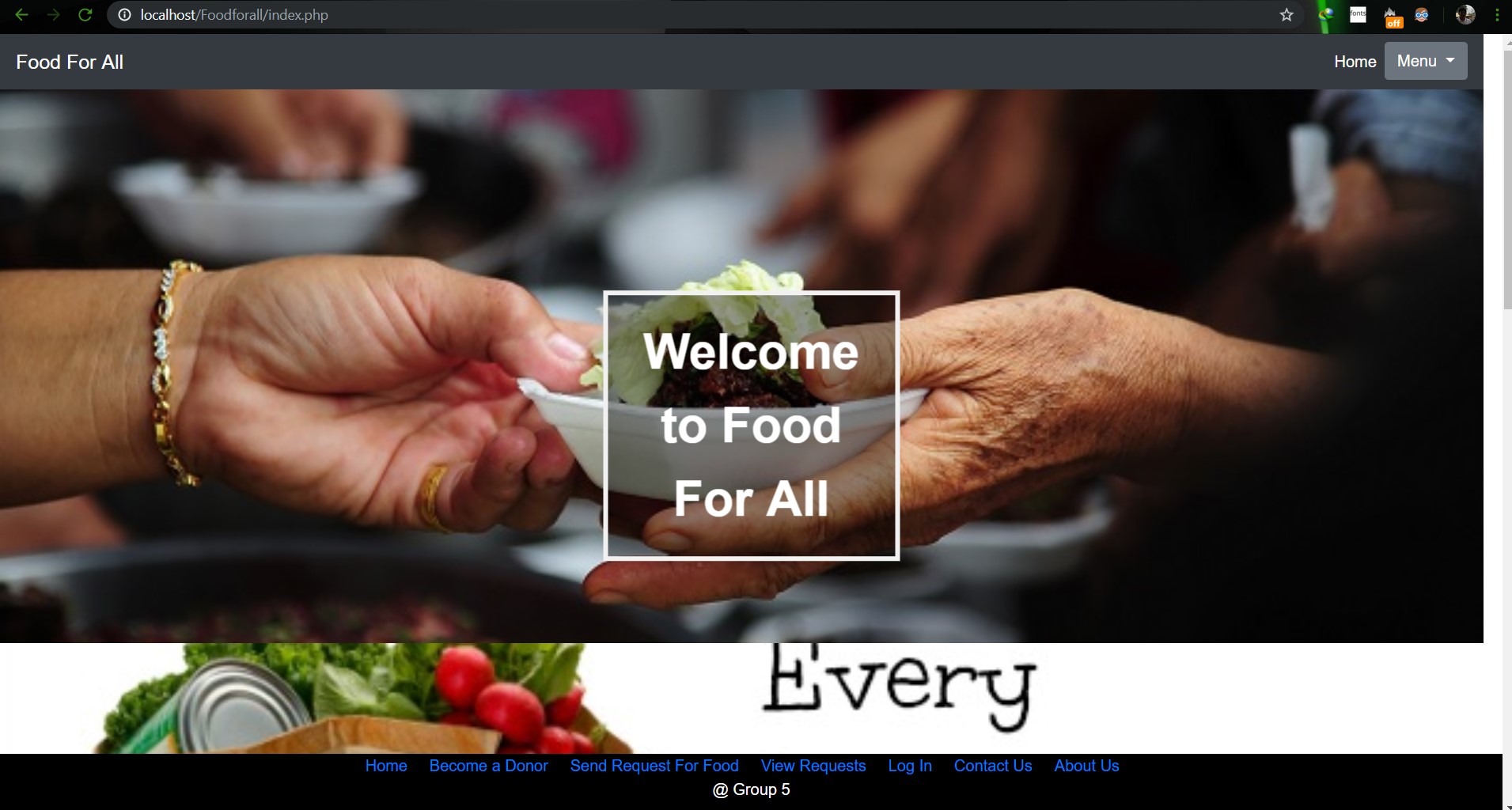                         **Image: Homepage** <br> 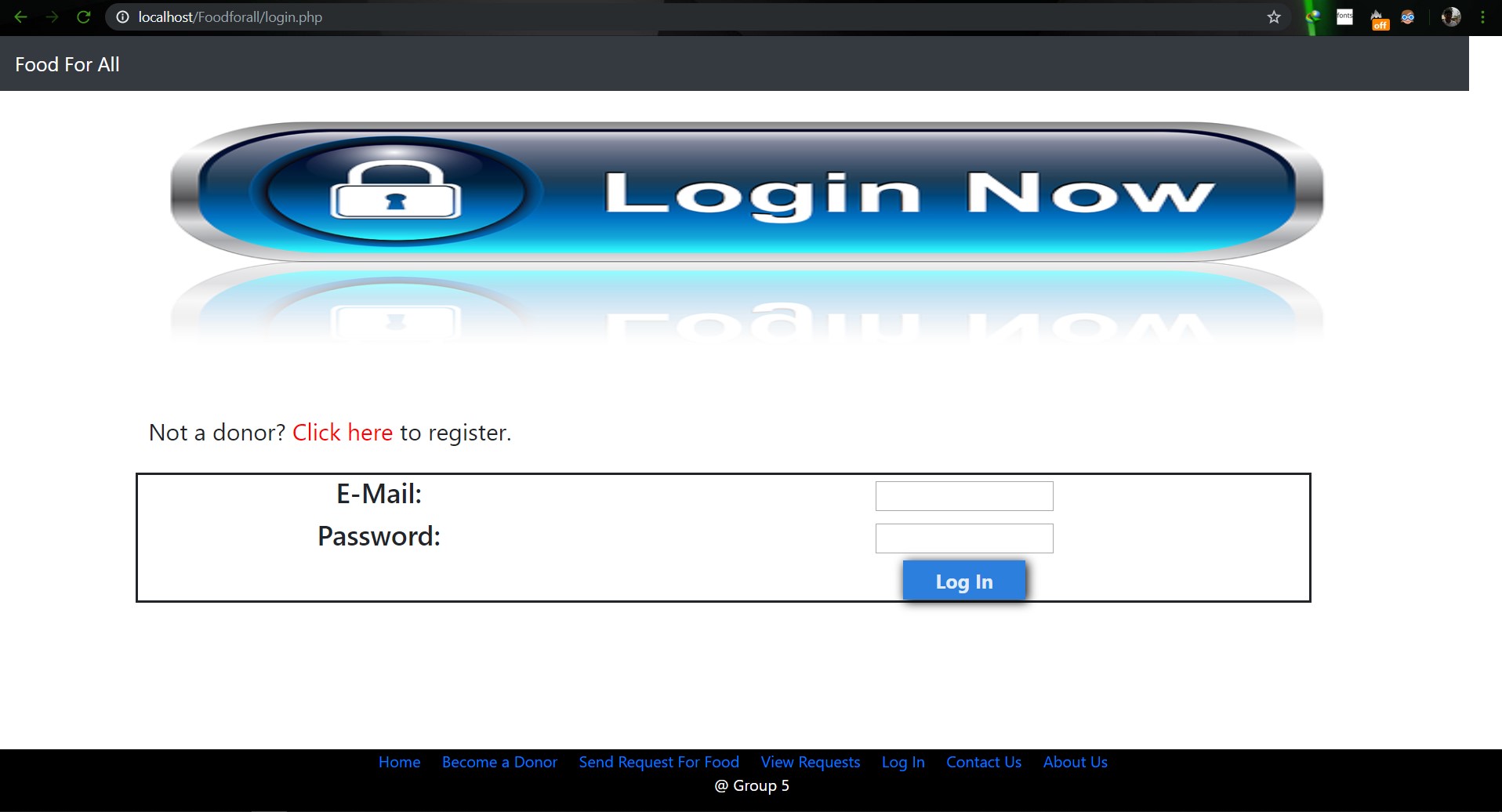                         **Image: Login Page** <br> 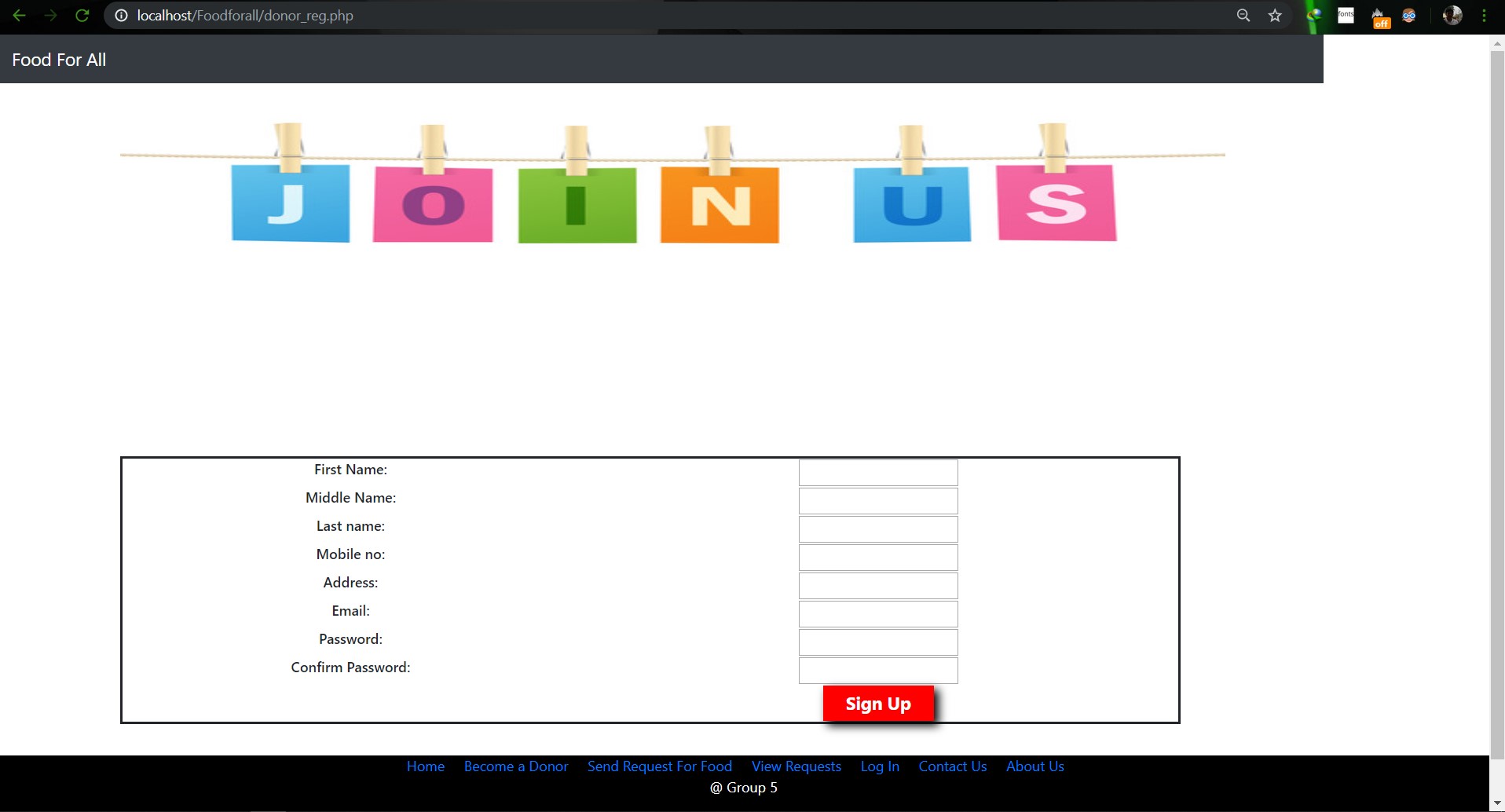                        **Image: Join us Page** <br> 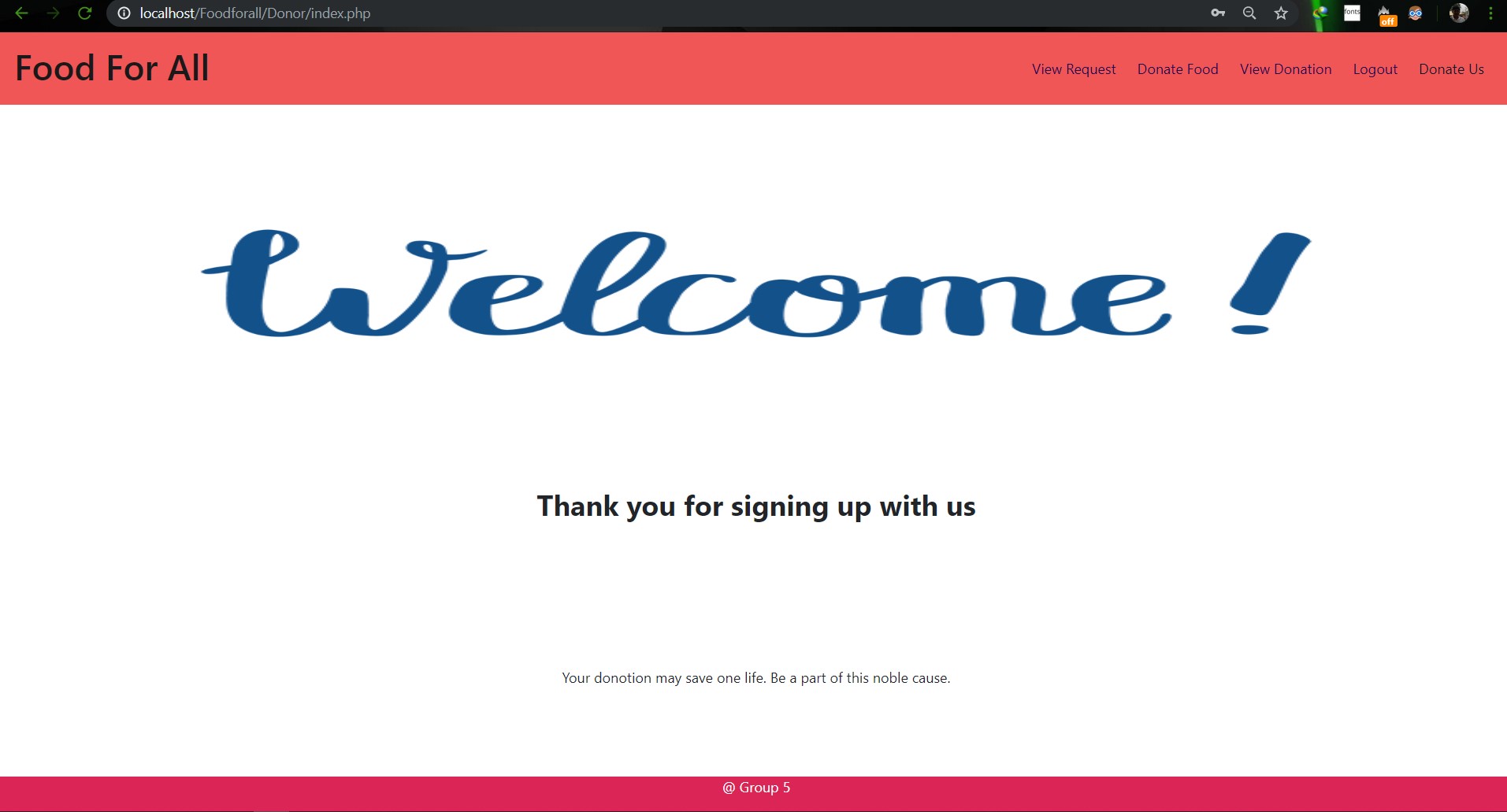                        **Image: Donor Login Page** <br> 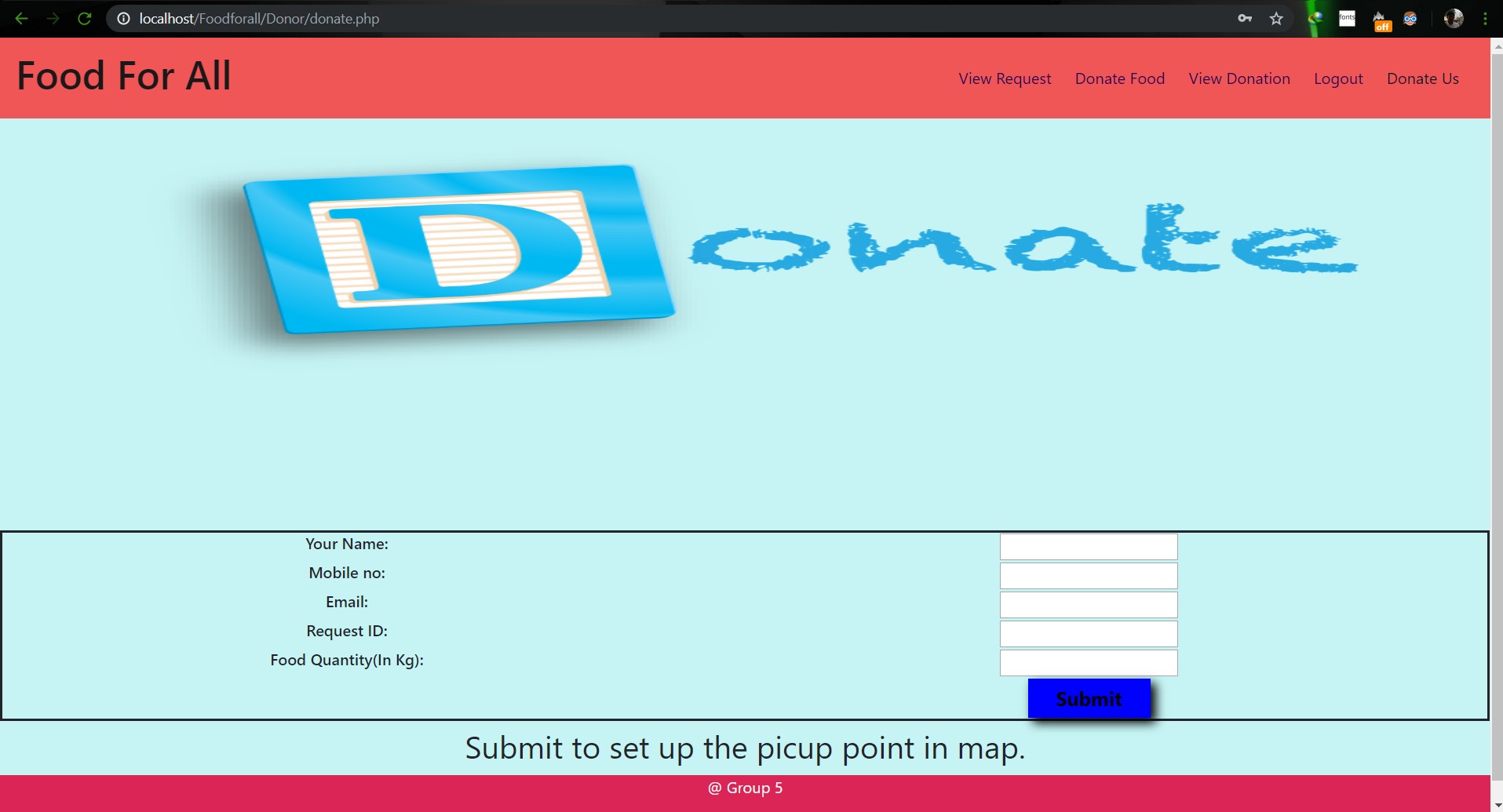                        **Image: Food Donation** <br> 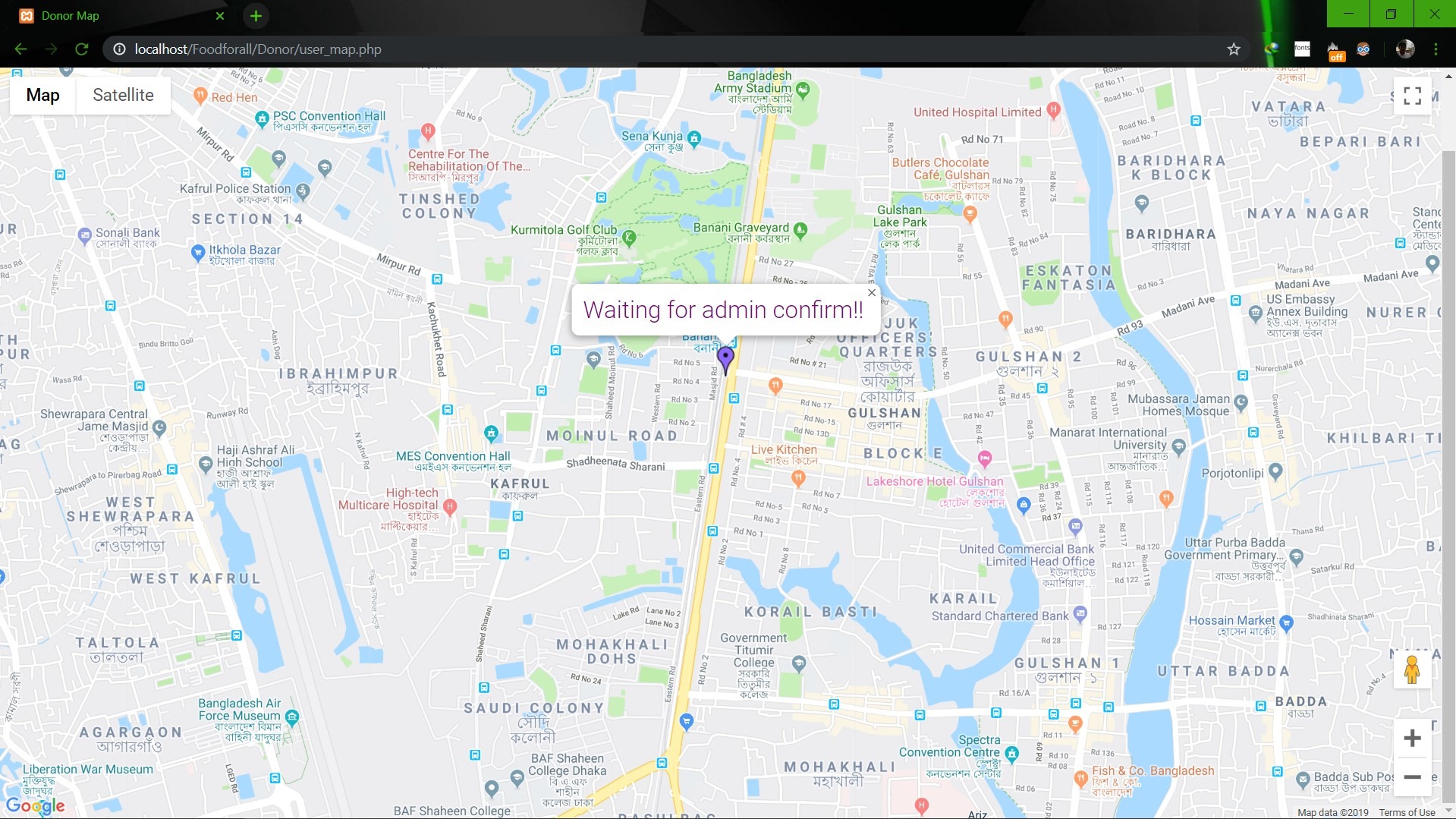                        **Image: User map** <br> 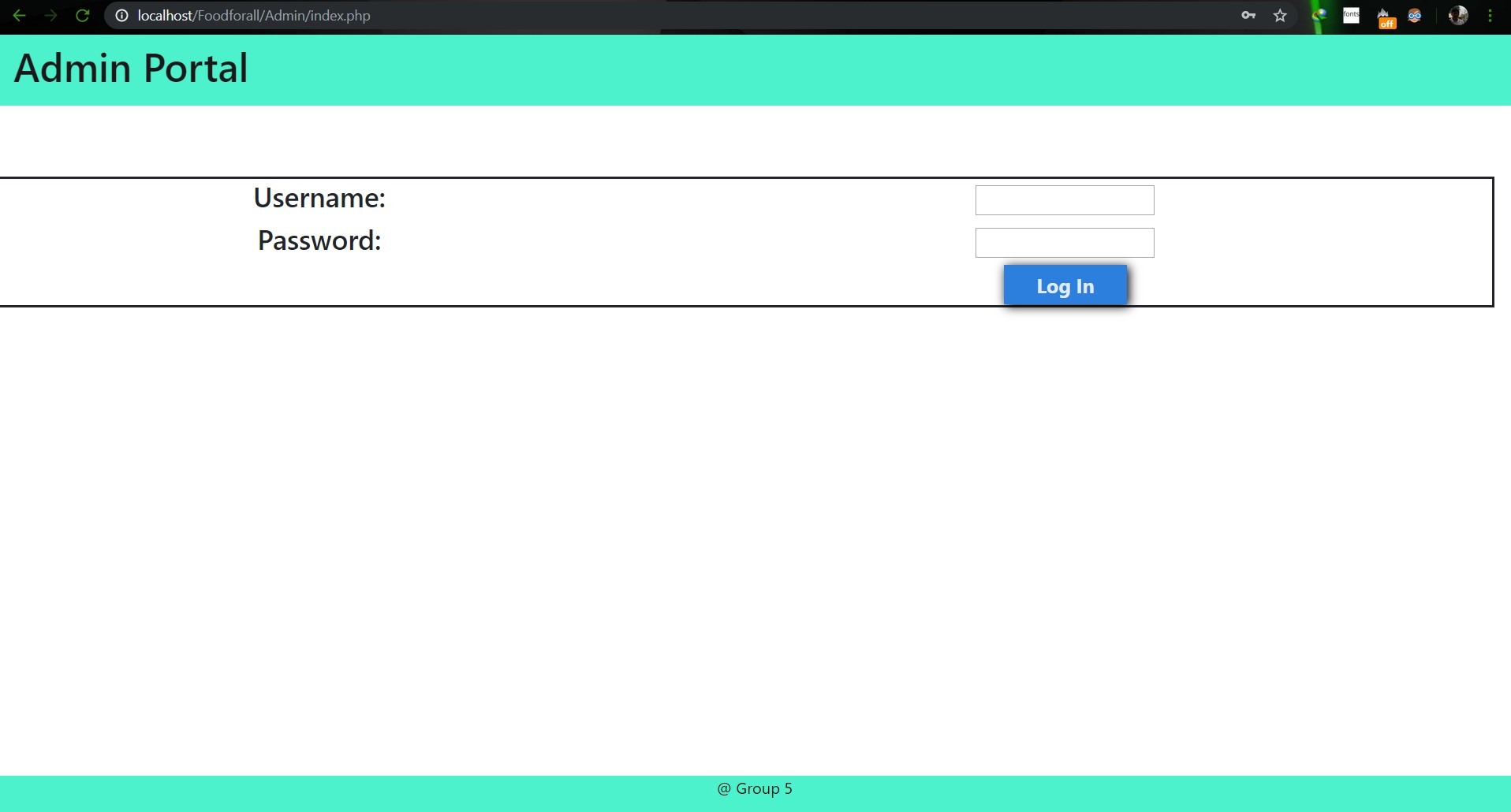                        **Image: Admin Login** <br> 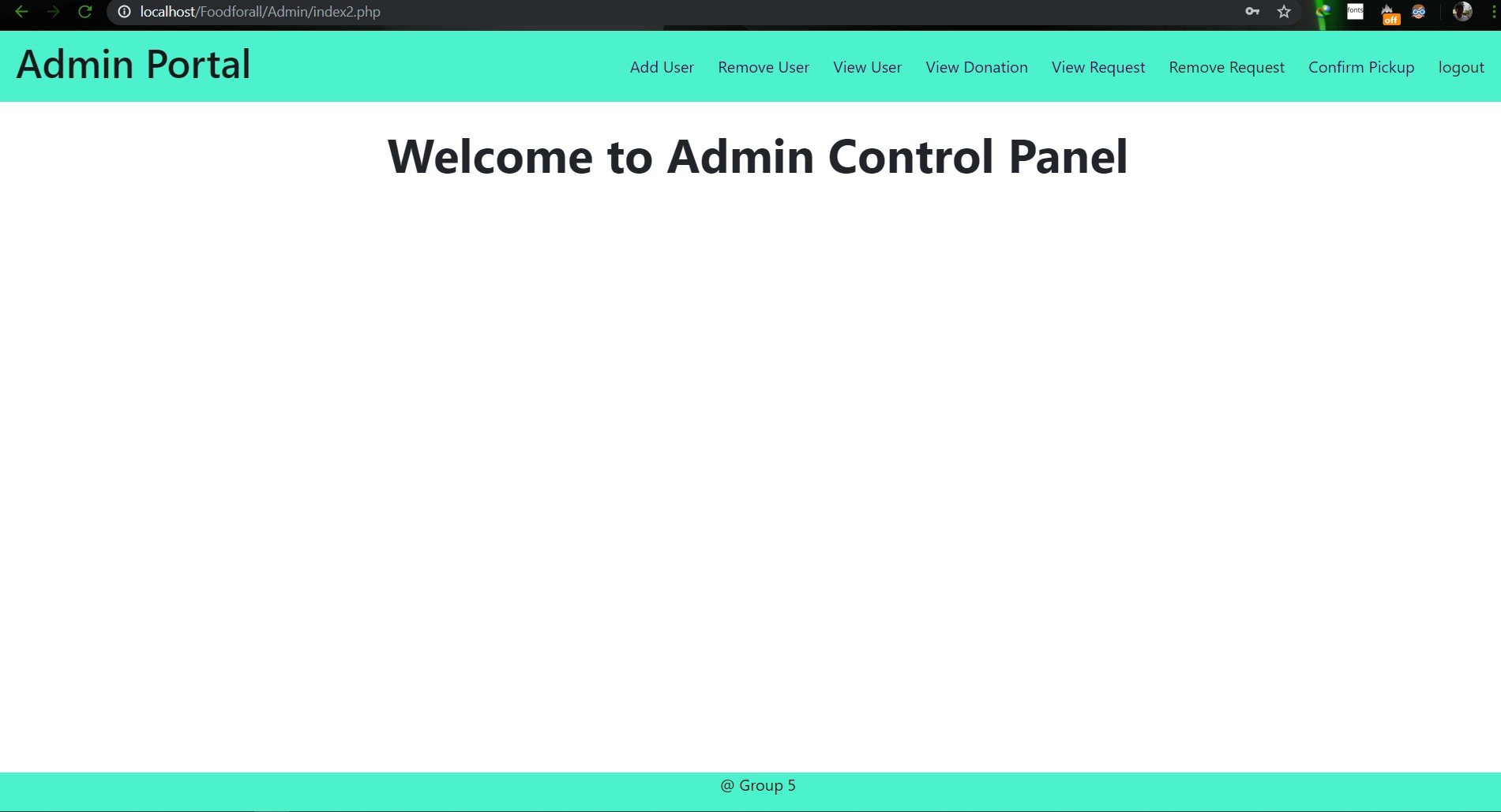                        **Image: Admin Home** <br> 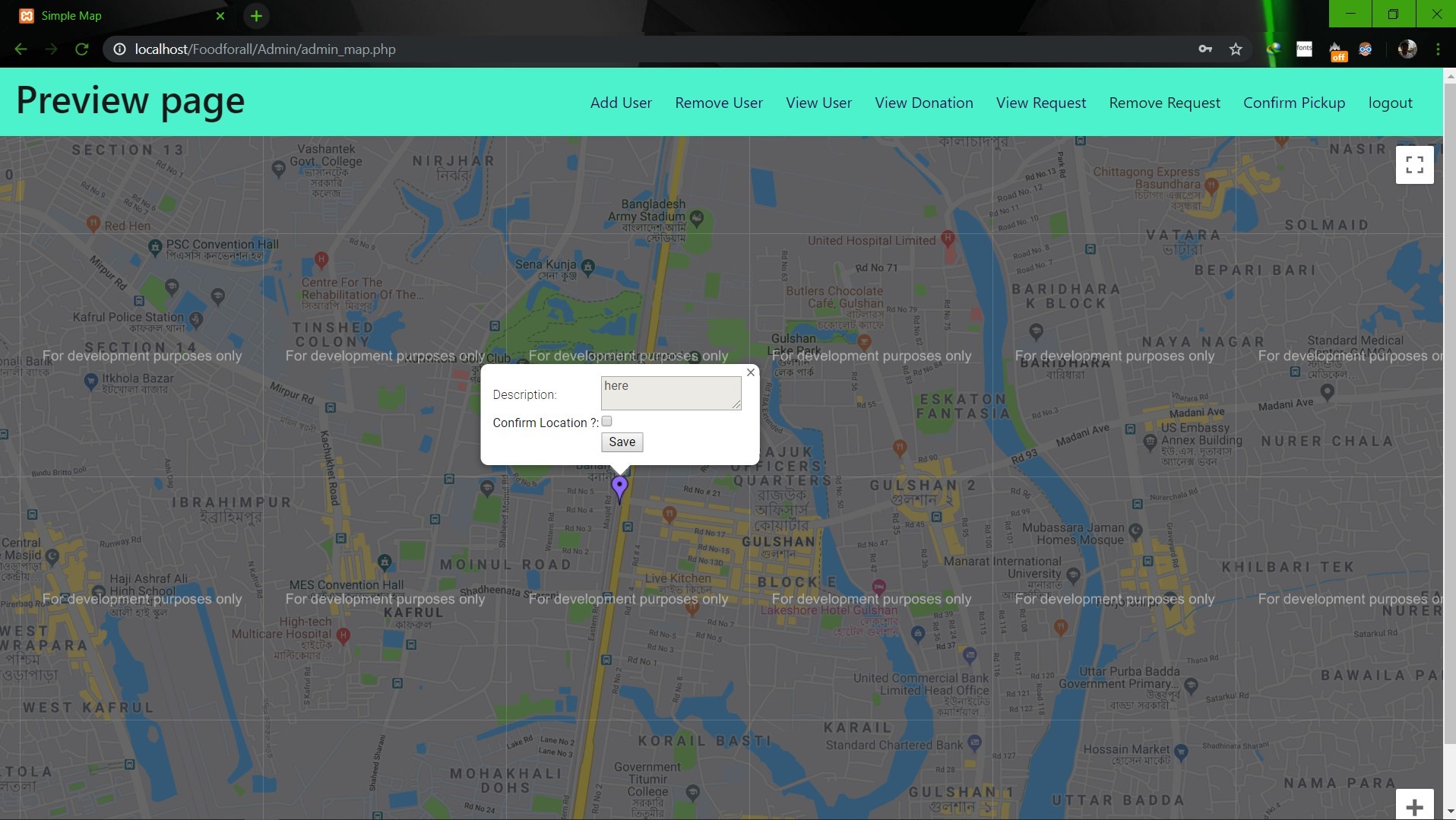                        **Image: Admin map** <br><br><br> **Conclusion:** 1. First of all we learnt how to use Github. It was completely new for us. But we now know how to use it. 2. We learnt about PHP, HTML and How to create DB connection in Mysql to create a project. 3. If we have more time we may be able to make the full project work properly. 4. In future, if we get chance we also want to create a android app for this weabsite. **References:** 1.https://getbootstrap.com/docs/4.3/examples/starter-template/ 2.https://www.w3schools.com/ 3.https://www.youtube.com/ 4.https://stackoverflow.com/questions/22138746/php-form-not-inserting-into-mysql-database 5.https://www.google.com/search?q=html+color+picker&oq=html+&aqs=chrome.0.69i59j69i57j69i60j69i65l2j69i60.3167j0j7&sourceid=chrome&ie=UTF-8 6.https://www.geeksforgeeks.org/ 7.https://www.youtube.com/watch?v=q2VV3-yWupU 8.https://bitbucket.org/webeasystep/markers_manager_php_mysql/src/master/
CSE299: JUNIOR DESIGN
SEC: 02, Group: 05
Instructor: SHAIKH SHAWON AREFIN SHIMON (SAS3)
Semester: Summer 2019
GROUP MEMBERS
1. Animesh Mondol
ID: 1611971042
Email: animesh.sarkar02@northsouth.edu
2. Shamsunnar Sumi
ID: 1621762042
Email: shamsunnar.sumi@northsouth.edu
GitHub Repository Link: https://github.com/AnimeshMondol/SU19CSE299S02G05NSU
Date Prepared: 19/06/2019
Project Details:
Our project idea is Stop Food Waste. In our country during different program there are some large amount of food are being wasted. So we want to make a web app where people can donate that food to the poor needy people.
With this web app we are trying to solve the problem of food faced by a certain amount of people in our country. We also want to use mobile phone access to the users so that they can use mobile phone to access the web page.
Features:
Login:
The system provides security features through email-password matching where only authorized user can access the system.
Admin Login:
In this part the manager will keep up the donated elements and donor details. He/ She will be able to know all the information and edit them. He/ She can assign people where to pick up the food from which will be shown in Google Map.
User Login:
In this part user will be able to login and he/she will be able to see all the donor and there will be an option where user can be a donor. He/ She can also see the place in the map where to go, to pick up the food.
User Login:
Donate food:
In this part user can donote food by seeing the request id send by the other user. It will also contain a form where donor needs to add his name, mobile, email, req_id, quntity. By submitting the form it will take it to the user map for setup the location in the map.
Request for food:
In this part user can request for food to the website so that other user(donor) can donote food to them for donotion.
Donote Us
In this part user will have a option to donote us money if they want for the development purpose. In this part there will be Bkash and Rocket no where donors can donate us. It will contain a form where name,mobile,amount and transaction id will be asked to stored on DB.
View requests
Here user can see the pending requests for food.
About Us:
In this section there will be information about the program.
Contact Us
In this part there will be information about how to contact us and also there will be a part where user can poot comments and ask for help directly to the admin.
Technology:
HTML, PHP, CSS, Bootstrap template, My SQL Server, Google Map API.
Business Plan:
It is mainly a free to use for everyone. There will be no need for any amount of money to create an account in this webpage. But through Google AdSense we want to monetize the webpage. Also if any donor wants to donate some amount of money they can do it through Bkash , Rocket .
Design:
We used the template of Bootstrap containing all the CSS and JS files downloaded from their website. We don't use any extra design in the webpage. But we used some image files to make the website look a little good.
Planning:
After selecting the project, we started our work by creating a UML diagram to make our work easy and it helped us to understand what we need to add or not in our website. Then we created issues in the project board. Then by weekly submission we tried to solve those issues. The project contains total of 43 closed issues which was used to make this website. All the details are shown in the project bord https://github.com/AnimeshMondol/SU19CSE299S02G05NSU/projects/1
What did/didn't work:
Around 85-90% of our project run's very well. But we faced some problems. They are:
Screenshots:
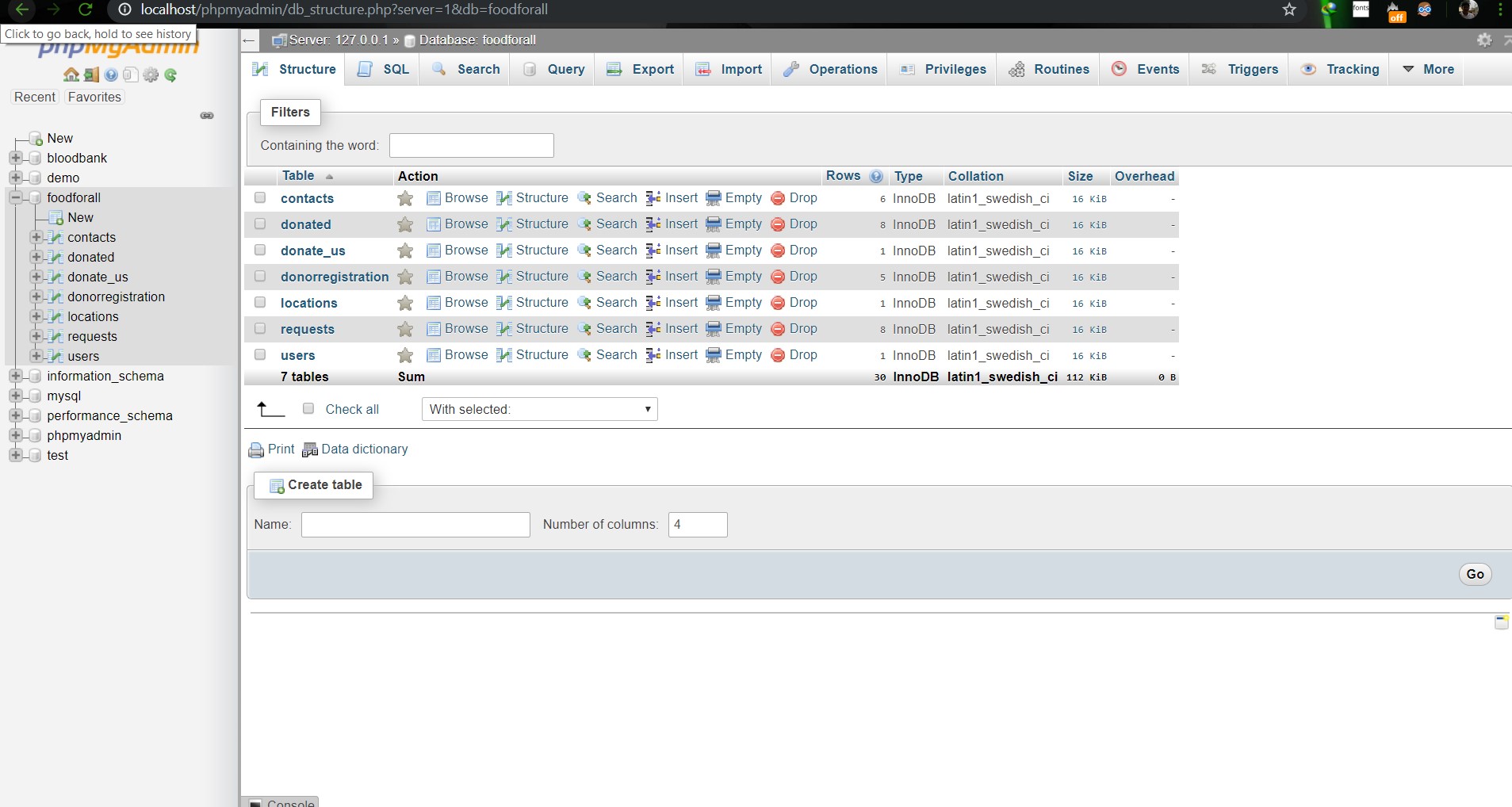
Image: DB(Foodforall)

Image: Homepage

Image: Login Page

Image: Join us Page

Image: Donor Login Page

Image: Food Donation

Image: User map

Image: Admin Login

Image: Admin Home

Image: Admin map
Conclusion:
References: